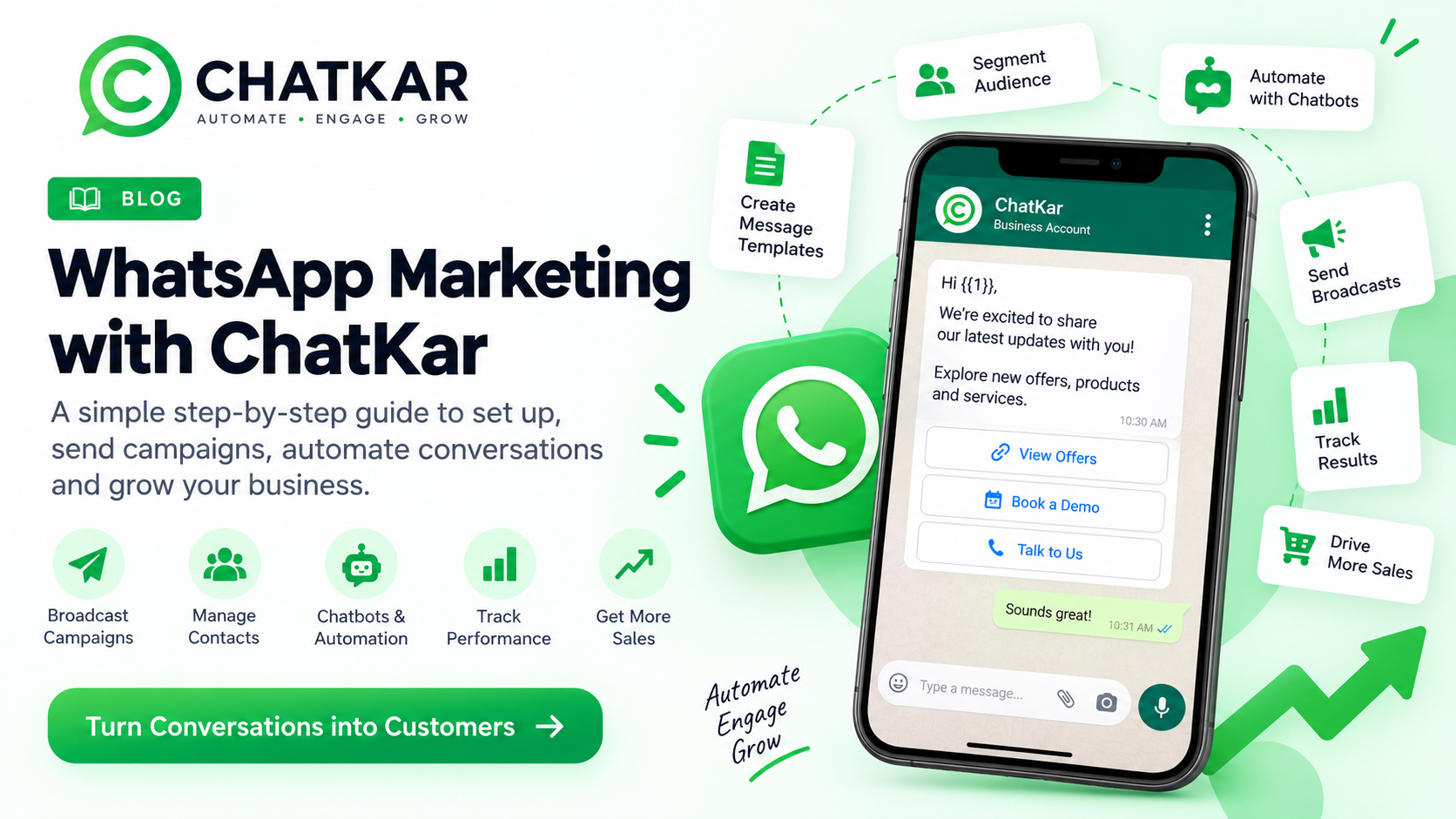
Grow Your Business with WhatsApp Marketing
ChatKar helps businesses use WhatsApp for marketing, customer communication, automation, broadcasts, chatbots, and remarketing.
With ChatKar, you can connect your WhatsApp Business account, manage contacts, create approved message templates, send broadcast campaigns, track campaign performance, and automate customer conversations.
1. Get Started with WhatsApp Business
To use WhatsApp marketing professionally, you need a WhatsApp Business setup connected through the official WhatsApp Business Platform.
Before getting started, make sure you have:
- A valid business
- A business website
- A WhatsApp number
- Access to your Meta Business account
- Business information such as business name, category, and description
Your WhatsApp number should be properly verified before you start sending campaigns.
2. Connect Your WhatsApp Business Account
Start by connecting your business with ChatKar.
- Sign up for ChatKar.
- Connect your Meta Business account.
- Select or create your business account.
- Enter your business details.
- Select your business category.
- Add your website.
- Add the WhatsApp number you want to use.
- Verify the number using OTP.
- Complete the WhatsApp Business setup.
Once the setup is complete, your WhatsApp number can be used with ChatKar for business communication and automation.
3. WhatsApp Messaging Costs
WhatsApp messaging generally involves two types of costs.
ChatKar Platform Charges
Depending on your ChatKar plan, there may be a subscription or platform fee for using ChatKar's features.
WhatsApp / Meta Messaging Charges
WhatsApp may apply charges depending on the type of conversation or messaging activity.
Always check the latest WhatsApp and Meta pricing applicable to your account and region.
4. WhatsApp Message Templates
When you want to send business-initiated messages to customers, you generally need approved WhatsApp message templates.
Templates are useful for:
- Promotions
- Offers
- Product updates
- Event invitations
- Webinar invitations
- Appointment reminders
- Order updates
- Customer notifications
- Follow-up campaigns
Before using a template for a broadcast campaign, submit it for approval through the WhatsApp Business system.
5. Create a Message Template in ChatKar
Go to:
ChatKar → Manage → Message Templates → New Template
Choose the appropriate template category.
For promotional campaigns, select the marketing category where applicable.
You can create different types of templates, such as:
- Text
- Image
- Video
- Document
- Location
Example
Hi {{1}},
We are launching a new digital marketing course.
The next batch starts on {{2}}.
Click below to learn more and register.
The numbers such as {{1}} and {{2}} are dynamic parameters.
They can later be replaced with customer-specific information.
- {{1}} → Customer name
- {{2}} → Course date
This allows one template to be personalized for many customers.
6. Add a Footer and Opt-Out Option
For marketing communication, it is good practice to give customers a clear way to stop receiving promotional messages.
Reply STOP to unsubscribe.
ChatKar can use opt-in and opt-out management so businesses can respect customer communication preferences.
7. Add Call-to-Action Buttons
ChatKar allows you to add interactive actions to your messages.
Call Button
Customers can click the button to call your business.
URL Button
Customers can click the button and visit your website or landing page.
Register Now
This button can send customers to your registration page.
Call-to-action buttons are useful for:
- Website visits
- Registrations
- Leads
- Sales
- Bookings
- Enquiries
8. Click Tracking
If available in your ChatKar plan, click tracking can help you understand what happens after customers interact with your campaign.
- Link clicks
- Customer engagement
- Campaign performance
- Conversion activity
This data becomes especially useful when creating remarketing campaigns.
9. Submit Your Template for Approval
- Select the language.
- Check the message content.
- Check all dynamic parameters.
- Add sample values where required.
- Check the call-to-action.
- Submit the template for approval.
Once approved, the template can be used in your WhatsApp campaigns.
10. Manage Your Contacts
A successful WhatsApp campaign starts with a well-organized contact database.
In ChatKar, you can add contacts individually or import them in bulk.
Contact information may include:
- Name
- Phone number
- Source
- Tags
- Custom information
11. Use Tags to Organize Contacts
Tags are extremely useful when you have a large contact database.
Example tags include:
- New Lead
- Hot Lead
- Existing Customer
- Webinar Prospect
- Website Lead
- Facebook Lead
- Seminar Lead
- E-commerce Customer
A single contact can have multiple tags.
This allows you to create highly targeted campaigns instead of sending the same message to everyone.
12. Contact Sources
It is also useful to know where your contacts came from.
- Website
- Facebook Ads
- Instagram
- Google Ads
- Webinar
- Seminar
- Offline Campaign
- Lead Form
- Referral
Knowing the source helps you understand which channels are generating better-quality leads.
13. Segment Your Audience
Once your contacts have been organized using tags and sources, you can create specific audience segments.
Audience: Webinar Prospects
Instead of sending a campaign to your entire database, select only contacts tagged as Webinar Prospects.
This makes your campaigns more relevant and can improve engagement.
14. Create a WhatsApp Broadcast Campaign
- Go to Campaigns.
- Select Broadcast Campaign.
- Enter a campaign name.
- Select your approved WhatsApp template.
- Select your audience.
- Apply filters or tags.
- Confirm your audience.
- Map your dynamic parameters.
- Add media if required.
- Test the message.
- Send the campaign or schedule it.
15. Dynamic Personalization
Dynamic parameters allow you to personalize messages automatically.
Hi {{1}},
If the customer's name is stored as "Rahul", ChatKar can automatically replace the parameter with:
Hi Rahul,
You can also use dynamic information for:
- Customer name
- Event date
- Appointment date
- Product name
- Offer
- Course date
- Other supported custom fields
Always provide a fallback value where appropriate.
Fallback: Hi there
16. Schedule Your Campaign
You do not always need to send a campaign immediately.
ChatKar can allow you to schedule campaigns depending on your plan and available features.
You can select:
This is useful for:
- Festival campaigns
- Product launches
- Webinar reminders
- Promotional offers
- Appointment reminders
- Daily updates
- Scheduled announcements
17. Test Before Sending
Before sending a large campaign, test your message.
Check:
- Message formatting
- Dynamic values
- Images
- Links
- Buttons
- Landing pages
- Personalization
A quick test can prevent expensive campaign mistakes.
18. Monitor Campaign Analytics
Sending a campaign is only the beginning.
The next step is understanding how customers interacted with it.
- Messages sent
- Messages delivered
- Messages read
- Link clicks
- Replies
- Failed messages
- Engagement
Use these numbers to understand how your audience is responding.
19. Remarketing with WhatsApp
Not every customer will convert after the first message.
Promotional Message → Customer Reads → No Click → Remarketing
That customer is still interested enough to read your message, but they have not taken the desired action.
Instead of sending the same message again, create a new campaign with a different message, offer or reason to take action.
20. Smart Audience Segmentation
ChatKar can help you create audiences based on customer interactions, depending on the features available in your account.
You can segment customers based on:
- Message delivered
- Message read
- Link clicked
- Link not clicked
- Replied
- Did not reply
Example
Send a webinar invitation to eligible webinar prospects.
Then target customers who read the message but did not click the registration link.
Send them a follow-up message.
This creates a simple remarketing funnel.
21. Build a WhatsApp Marketing Funnel
Lead → First Message → Read → Click → Reply → Conversion
Not every customer will move directly from the first message to conversion.
Some customers need additional communication.
Example
Campaign 1: Webinar Invitation
↓
Customer Reads Message
↓
Customer Does Not Click
↓
Campaign 2: Webinar Reminder
↓
Customer Clicks Registration Link
↓
Customer Registers
↓
Campaign 3: Webinar Reminder / Confirmation
This approach allows you to communicate based on customer behaviour instead of sending the same message to everyone.
22. WhatsApp Chatbots
ChatKar can also be used to automate customer conversations with WhatsApp chatbots.
A chatbot can help businesses:
- Answer common questions
- Capture leads
- Share product information
- Qualify prospects
- Send links
- Collect information
- Schedule appointments
- Route conversations
- Provide automated support
23. Start a Chatbot Flow
A chatbot flow can be triggered by different events.
Keyword Trigger
A customer sends a specific keyword.
DEMO
The chatbot automatically starts the relevant flow.
Multiple keywords can be used for the same purpose:
- Demo
- Free Demo
- Product Demo
- Book Demo
24. Button-Based Chatbot Triggers
Chatbot flows can also be connected to interactive buttons.
Would you like to know more?
- Yes, Tell Me More
- Book a Demo
- Talk to Sales
When the customer clicks a button, ChatKar can trigger the relevant automation flow.
25. Click-to-WhatsApp Ads
Businesses can also connect their advertising campaigns with WhatsApp.
A customer sees an advertisement and clicks the WhatsApp option.
The customer is then taken directly into a WhatsApp conversation.
Facebook / Instagram Ad
↓
Customer clicks WhatsApp
↓
WhatsApp opens
↓
ChatKar chatbot starts
↓
Customer selects an option
↓
Chatbot provides information
↓
Lead is captured
↓
Sales team takes over when required
This can turn paid advertising traffic into automated WhatsApp conversations.
26. Use Chatbots for Lead Qualification
A chatbot can ask customers simple questions before sending the lead to your sales team.
What are you looking for?
- Pricing
- Demo
- Product Information
- Talk to Sales
The next step can change depending on the customer's selection.
This helps sales teams focus on more relevant leads.
27. E-commerce WhatsApp Automation
WhatsApp automation can be especially useful for online stores.
Customer Places an Order
↓
Order Confirmation
↓
Payment Confirmation
↓
Shipping Update
↓
Delivery Notification
↓
Post-Purchase Message
↓
Review Request
↓
Future Promotional Campaign
28. Abandoned Cart Follow-Up
An e-commerce business can use WhatsApp automation to remind customers about products they left in their cart.
Customer Adds Product to Cart
↓
Customer Does Not Complete Purchase
↓
WhatsApp Reminder
↓
Customer Returns to Website
↓
Purchase Completed
Depending on your business strategy, you can add an incentive such as a limited-time offer.
29. Customer Journey Automation
The real power of WhatsApp marketing comes from understanding the complete customer journey.
Instead of simply sending bulk messages, track how customers interact with your campaigns.
Message Sent → Delivered → Read → Clicked → Replied → Purchased
Each stage provides useful information.
You can then create different campaigns for different customer groups.
30. Official Business Profile / Green Tick
Some businesses may want an official business identity on WhatsApp, including an official business profile or verification badge where eligible.
Approval is controlled by Meta and is not guaranteed simply because a business meets basic requirements.
Businesses should maintain:
- A legitimate business
- A properly configured WhatsApp Business account
- A verified business presence where required
- A professional website
- A genuine brand identity
- Public business information
- A strong online presence
Eligibility requirements and approval policies can change, so always check the latest requirements before applying.
31. Best Practices for WhatsApp Marketing
1. Get Proper Customer Consent
Only communicate with customers in accordance with applicable WhatsApp and marketing rules.
2. Keep Your Database Clean
Remove invalid numbers and respect opt-out requests.
3. Segment Your Audience
Do not send every message to every customer.
4. Personalize Your Messages
Use customer information where appropriate.
5. Keep Messages Useful
Avoid unnecessary promotional spam.
6. Use Clear Calls to Action
Tell customers exactly what they should do next.
7. Test Campaigns
Always test important campaigns before sending them to a large audience.
8. Study Analytics
Look beyond delivery numbers. Track reads, clicks, replies and conversions.
9. Use Remarketing
Customers who did not convert from the first message may still be valuable prospects.
10. Automate Repetitive Communication
Use ChatKar automation and chatbots to reduce manual work.
32. ChatKar WhatsApp Marketing Strategy
Step 1 — Capture Leads
- Website
- Ads
- Forms
- Social media
- Events
- Referrals
Step 2 — Organize Contacts
Add tags and sources.
Step 3 — Create an Approved Template
Create a WhatsApp message template.
Step 4 — Segment Your Audience
Select the right audience based on tags, sources or customer information.
Step 5 — Launch the Campaign
Send or schedule the WhatsApp broadcast.
Step 6 — Analyze
- Delivery
- Reads
- Clicks
- Replies
- Conversions
Step 7 — Remarketing
Create a new campaign for customers who did not complete the desired action.
Step 8 — Automate
Use ChatKar chatbots and automation to handle repetitive conversations.
33. The ChatKar Advantage
WhatsApp marketing becomes much more powerful when broadcasts, contact management, automation, chatbots, segmentation and analytics work together.
With ChatKar, businesses can move from simple bulk messaging to a complete customer communication system.
Capture leads.
Organize contacts.
Send personalized messages.
Automate conversations.
Track customer behaviour.
Remarket intelligently.
Convert more leads into customers.
ChatKar — WhatsApp Marketing, Automation & Customer Engagement
One platform to manage your WhatsApp customer journey from first message to conversion.