Customers expect quick replies, clear answers and timely updates. But when a business receives dozens or hundreds of WhatsApp enquiries every day, responding manually to every message can become difficult. Sales teams may miss leads, support teams may repeat the same answers, and follow-ups can get delayed.
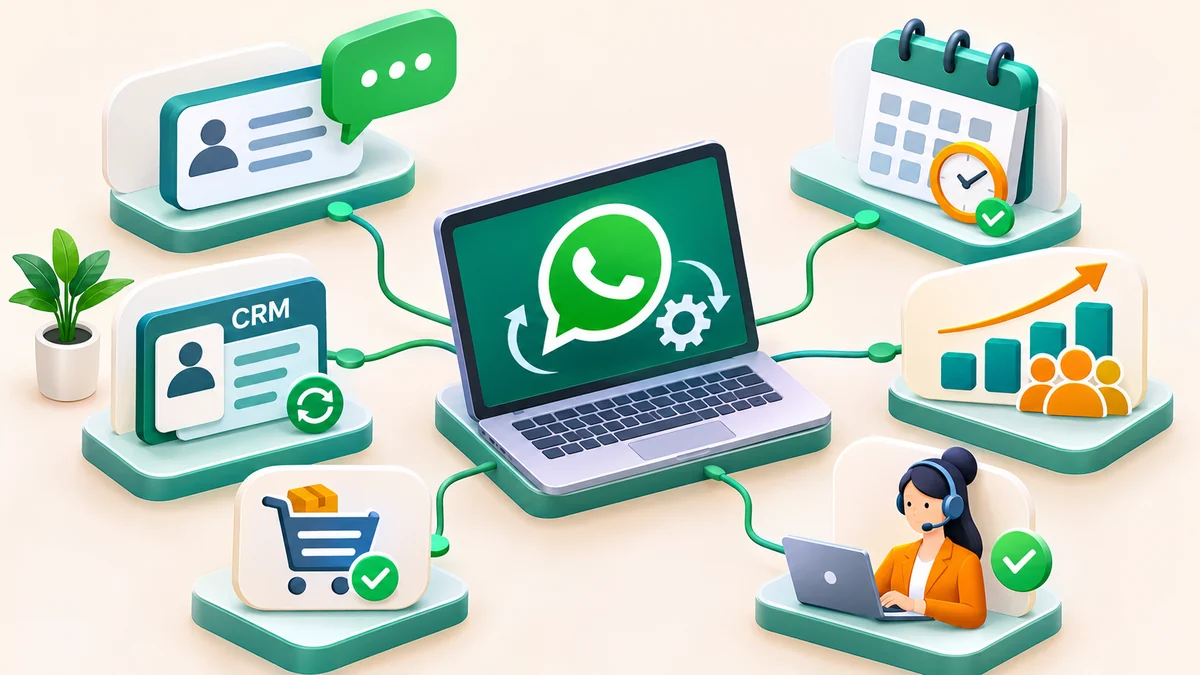
WhatsApp automation for business helps organise these conversations by using predefined rules, automated responses, workflow triggers and connected business tools. It can help businesses acknowledge enquiries, collect customer information, assign leads, send approved updates and remind teams about pending tasks.
In this guide, you will learn how WhatsApp automation works, which business processes can be automated, how to set up practical workflows, what costs to consider and which compliance requirements to follow.
Quick Answer: What Is WhatsApp Automation?
WhatsApp automation is the use of rules, workflows, automated messages and software integrations to manage business conversations with less manual effort. Depending on the setup, it can automate first responses, lead qualification, enquiry routing, reminders, order updates and customer support tasks while allowing human agents to handle conversations that need personal attention.
What Is WhatsApp Automation for Business?
WhatsApp automation for business means creating a structured process for handling messages and related business tasks on WhatsApp. Instead of depending entirely on an employee to complete every step, a business can configure workflows that respond to specific customer actions or system events.
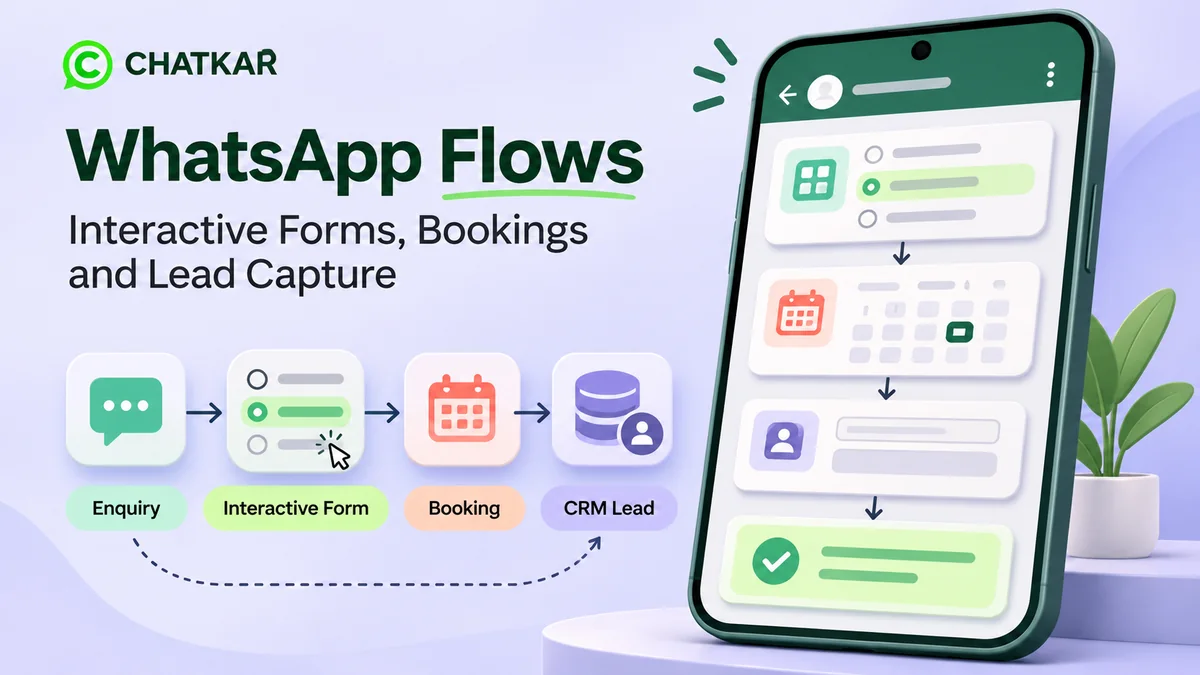
For example, when someone enquires about a service, an automated workflow could:
- Send an initial acknowledgement.
- Ask what product or service the person is interested in.
- Collect relevant details, such as location or preferred appointment time.
- Save the enquiry to a CRM or another connected system, when configured.
- Assign the enquiry to the appropriate salesperson or support agent.
- Notify the team when a lead needs attention.
These steps can reduce repetitive work and make the enquiry process more consistent. The exact capabilities depend on the messaging platform, software integrations, permissions and workflows configured for the business.
WhatsApp Automation vs WhatsApp Chatbot
WhatsApp automation and WhatsApp chatbots are related, but they are not the same thing. A chatbot is one way to interact with a customer. Automation is the broader process that can connect the conversation to other business actions.
| Area |
WhatsApp chatbot |
WhatsApp automation |
| Main purpose |
Responds to customer inputs |
Coordinates messages and business tasks |
| Typical example |
Answers FAQs or asks qualifying questions |
Routes an enquiry, updates a CRM and notifies sales |
| Integrations |
May operate independently or use integrations |
Often connects messaging with CRM and other systems |
| Human involvement |
Can transfer conversations to an agent |
Can assign tasks and trigger human follow-up |
A business can use both together. Read our guide to WhatsApp chatbots for business to understand the chatbot side in more detail.
Types of WhatsApp Business Automation
1. Automated Replies
Send an acknowledgement when a customer contacts your business. Depending on the setup, a reply can share business hours, direct the customer to the right department or explain what information is needed before an agent can assist.
Example: “Thank you for contacting us. Please select Sales, Customer Support or Billing so we can direct your enquiry.”
2. Lead Qualification and Routing
Ask relevant questions before passing an enquiry to the team. You might collect the product of interest, service location, company name, requirement or preferred contact time. A rule can then route the enquiry according to the answers.
3. CRM and Sales Workflow Automation
With an appropriate CRM integration, incoming enquiries can be recorded against a contact or lead, assigned to a salesperson and given a status. A workflow can also notify a manager when an enquiry remains unassigned or a sales task is overdue.
Explore WhatsApp lead management and WhatsApp CRM for sales for more examples.
4. Appointment and Reminder Automation
Businesses that depend on appointments can connect booking events to WhatsApp notifications. Examples include appointment confirmations, reminders, requests to reschedule and follow-up instructions. Use approved templates when required by WhatsApp policy.
5. Order and Service Updates
An e-commerce store or service provider may send relevant order confirmations, dispatch updates, booking changes or service-status notifications when the underlying system supports those events. Messages should reflect accurate, up-to-date information.
6. Marketing Campaign Automation
Businesses can plan relevant campaign messages for eligible contacts who have provided the required consent. Depending on the approved platform and configuration, workflows may segment contacts, select an approved template and record campaign responses.
Automation does not make unsolicited messaging acceptable. Keep recipient consent, template category, messaging frequency and opt-out handling in mind before launching a campaign.
7. Customer Support and Escalation
Workflows can answer routine questions, collect troubleshooting details and direct unresolved cases to a human agent. Escalation is particularly important when a customer is frustrated, the issue is sensitive or the automated response cannot confidently address the request.
Practical WhatsApp Automation Workflow Examples
The best workflows start with an actual business problem. Here are examples you can adapt to your operations.
Workflow 1: New Sales Enquiry
Trigger: A customer sends a WhatsApp message.
Actions: Send acknowledgement → ask what the customer needs → capture the relevant details → create or update the lead in the connected CRM → assign a salesperson → notify the assigned team member.
Business outcome: A more organised enquiry process with clearer ownership and fewer missed handoffs.
Workflow 2: Missed or Pending Sales Follow-Up
Trigger: A lead reaches a defined CRM status or a follow-up task becomes due.
Actions: Check the lead's status and messaging eligibility → notify the salesperson → send a permitted customer message when appropriate → record the result.
Business outcome: Better follow-up discipline without relying only on memory or manual reminders.
Workflow 3: Customer Support Request
Trigger: A customer reports a problem or chooses Support from the menu.
Actions: Collect the issue category → share approved troubleshooting instructions → log the support request where integrated → route complex issues to a human agent.
Business outcome: More consistent handling, clearer case ownership and a defined escalation route.
Workflow 4: Appointment Confirmation
Trigger: A booking system confirms or updates an appointment.
Actions: Retrieve the correct booking details → send a permitted confirmation or reminder → capture the customer's response if supported → notify staff about changes.
Business outcome: Clearer customer communication and less manual reminder work.
How to Set Up WhatsApp Automation for Your Business
Step 1: Identify the Repetitive Task
Start by finding where employees spend time repeating the same work. Common examples include answering basic questions, assigning incoming leads, checking appointment details and reminding staff about pending follow-ups. Choose one workflow first instead of trying to automate everything at once.
Step 2: Choose the Right WhatsApp Setup
A small business with limited messaging needs may be able to start with basic WhatsApp Business app features. For more advanced workflows, multiple agents, structured integrations or larger messaging operations, evaluate whether the WhatsApp Business Platform and a suitable automation solution meet your requirements.
Review the official WhatsApp Business website and WhatsApp developer documentation before selecting your implementation.
Step 3: Define Triggers, Conditions and Actions
Every workflow should clearly define three elements:
- Trigger: What starts the workflow, such as an incoming message, booking event or CRM status change?
- Condition: What must be true before the next action runs, such as a selected service or assigned agent?
- Action: What happens next, such as sending a reply, updating a record, assigning a lead or notifying a team member?
Step 4: Connect Your CRM and Other Systems
Decide which customer details need to be stored and which systems must exchange information. Depending on available integrations, this may include a CRM, booking tool, e-commerce platform, helpdesk or internal notification system. Confirm how failed updates, duplicate records and missing data will be handled.
Step 5: Prepare Messages and Consent Handling
Write clear, concise messages that explain what the customer should do next. Before sending business-initiated messages, verify the applicable template and consent requirements. Keep a reliable process for recording opt-ins and handling opt-out requests.
Step 6: Add Human Handover
Automation should not become a barrier between the customer and your team. Define when a conversation needs a person, who receives it and what information is passed along. Give customers a practical way to reach support when the automated process cannot resolve the issue.
Step 7: Test Before Launching
Test the happy path as well as exceptions. Check incorrect answers, missing customer details, duplicate enquiries, unavailable agents, failed integrations, template errors and opt-out requests. Review the workflow with the people who will use it every day.
Step 8: Measure Results and Improve
Review performance regularly. Remove unnecessary steps, fix repeated failure points and update messages when your products or procedures change. Automation should solve a business problem, not simply create more notifications.
WhatsApp Automation Compliance: What Businesses Must Check
Automation does not remove the need to follow WhatsApp Business policies or applicable privacy and consumer-protection laws. Before launching a workflow, review the following requirements.
Compliance Checklist
- Obtain the required permission before messaging people on WhatsApp. Ensure consent clearly identifies your business and the messages people have agreed to receive.
- For business-initiated messages on the WhatsApp Business Platform, use an approved message template where required.
- After a user's latest message, the standard customer service window is 24 hours. Within this window, you can generally reply without a template, subject to the applicable policies.
- Outside the 24-hour window, use an approved template for business-initiated messages, as required by the platform rules.
- Provide a clear, timely and direct route to human support when automation cannot resolve an issue.
- Respect opt-out and stop requests. Suppress further messages covered by the request.
- Protect personal data, collect only what is needed, restrict access and follow applicable privacy and security requirements.
- Check the current WhatsApp Business Messaging Policy, message-template requirements, category rules and applicable pricing before each campaign or major workflow change.
Refer to the official WhatsApp Business Messaging Policy and WhatsApp Business Platform documentation for the rules applicable to your account and use case.
Important: Template approval does not automatically guarantee that every campaign or workflow is compliant. Check the intended use, recipient consent, relevant business policies and applicable laws before sending messages. Rules and pricing can change, so verify them with the official documentation.
How Much Does WhatsApp Automation Cost?
There is no single price for every WhatsApp automation setup. The total cost depends on the platform, workflow complexity, message volume, required integrations and support requirements.
Consider these cost components when preparing a budget:
- Messaging charges: Applicable WhatsApp Business Platform fees based on the current pricing model, recipient market and message type or category.
- Software subscription: Charges for a WhatsApp CRM, automation platform or related software.
- Setup and integration: Costs for configuring workflows and connecting systems, if these services are not included in the subscription.
- AI or third-party tools: Additional usage charges may apply when external AI, integration or notification services are used.
- Ongoing maintenance: Time and cost to review workflows, update business information, monitor errors and manage access.
For a realistic estimate, calculate your expected monthly conversations, required templates, number of agents, integrations and internal maintenance effort. Check current messaging rates on the official platform before finalising your budget. Avoid selecting a tool based only on its headline subscription price.
How to Choose the Right WhatsApp Automation Tool
A suitable tool should match your business process and the level of automation you actually need. Compare providers using the following criteria:
- Workflow builder: Can you set up triggers, conditions, actions and exception handling?
- Shared team inbox: Can authorised agents manage conversations, assignments and handovers?
- CRM capabilities: Can customer information and lead statuses be managed or synchronised appropriately?
- Integration options: Does it support the tools your business already uses?
- Compliance controls: Can the team manage approved templates, consent records and opt-outs properly?
- Reporting: Can you measure enquiry response time, assignment delays, resolution and conversion outcomes?
- Security and access: Are user permissions, account controls, data handling and support suitable for your business?
- Scalability: Can the setup accommodate your expected conversation volume and future workflows?
How ChatKar Can Help With WhatsApp Automation
ChatKar is a WhatsApp business communication and automation solution designed to help businesses organise customer conversations and streamline repetitive communication tasks. Depending on the plan, connected services and configuration, a business can evaluate workflows for enquiry handling, automated replies, lead organisation and customer follow-up.
Before choosing your setup, identify the specific process you want to improve. You may want to route new leads to sales, provide consistent answers to frequently asked questions, coordinate multiple agents or connect WhatsApp conversations with the rest of your customer workflow.
Visit ChatKar to explore the available solution and discuss which workflow fits your business. Confirm feature availability, integrations and plan details before implementation.
Ready to Streamline Your WhatsApp Conversations?
Start with one repetitive business task, define the workflow and measure the result. A well-planned automation process can help your team respond consistently, organise enquiries and spend more time on conversations that need personal attention.
Explore ChatKar
Frequently Asked Questions About WhatsApp Automation
1. What is WhatsApp automation for business?
WhatsApp automation for business uses automated replies, rules, triggers and integrations to manage customer communication and related tasks. Depending on the setup, it can support lead qualification, enquiry routing, appointment reminders, order updates and customer support workflows.
2. Can I automate WhatsApp messages?
Yes. The available options depend on whether you use the WhatsApp Business app or WhatsApp Business Platform, as well as the software and integrations involved. Follow the relevant platform policies, including applicable opt-in, template and messaging requirements.
3. Is WhatsApp automation the same as a chatbot?
No. A chatbot handles customer interactions, while automation can also connect conversations with tasks such as CRM updates, lead assignment, notifications and booking systems. Businesses often use chatbots as one part of a broader automation workflow.
4. Can WhatsApp automation connect to a CRM?
It can, provided the selected platform supports the required integration. Depending on the connection, the workflow may create or update leads, record relevant conversation details, assign enquiries and notify salespeople. Verify the integration's exact capabilities before deployment.
5. Can WhatsApp automation send marketing messages automatically?
Eligible marketing messages can be scheduled or triggered through supported systems, subject to WhatsApp's rules and applicable law. Businesses must obtain the required consent, use approved templates when required and honour opt-out requests. Automation is not permission to send unsolicited messages.
6. Can automated WhatsApp messages be sent outside the 24-hour customer service window?
On the WhatsApp Business Platform, business-initiated messages outside the standard 24-hour customer service window generally require an approved message template. The specific message must also satisfy the applicable policy and consent requirements.
7. Is WhatsApp automation suitable for small businesses?
Yes. A small business can begin with a focused workflow, such as acknowledging enquiries or collecting basic requirement details. More advanced CRM integrations and multi-agent workflows can be added when the business needs them.
8. How much does WhatsApp automation cost?
The cost varies with software subscriptions, message fees, message volume, integrations and setup requirements. Review the current official WhatsApp pricing and the provider's charges to calculate the full monthly cost for your use case.
9. Should businesses keep a human support option?
Yes. Businesses should provide a clear and timely way for customers to reach a human agent or another suitable support channel when automation cannot resolve their request. This helps prevent the workflow from becoming a dead end.
Conclusion
WhatsApp automation can help businesses manage repetitive communication tasks, organise incoming enquiries, support sales follow-ups and deliver more consistent customer service. The most effective approach is to start with a clearly defined workflow, connect the right systems, include human escalation and measure the results.
Choose an automation solution that fits your operations, review the current WhatsApp policies and build workflows around genuine customer needs. To explore options for managing and automating business conversations, visit ChatKar.
```
## Optional FAQ structured data
Add this only if your CMS supports custom JSON-LD and does not already generate FAQ schema. Keep the FAQ answers on the visible page consistent with the schema.
```html
```