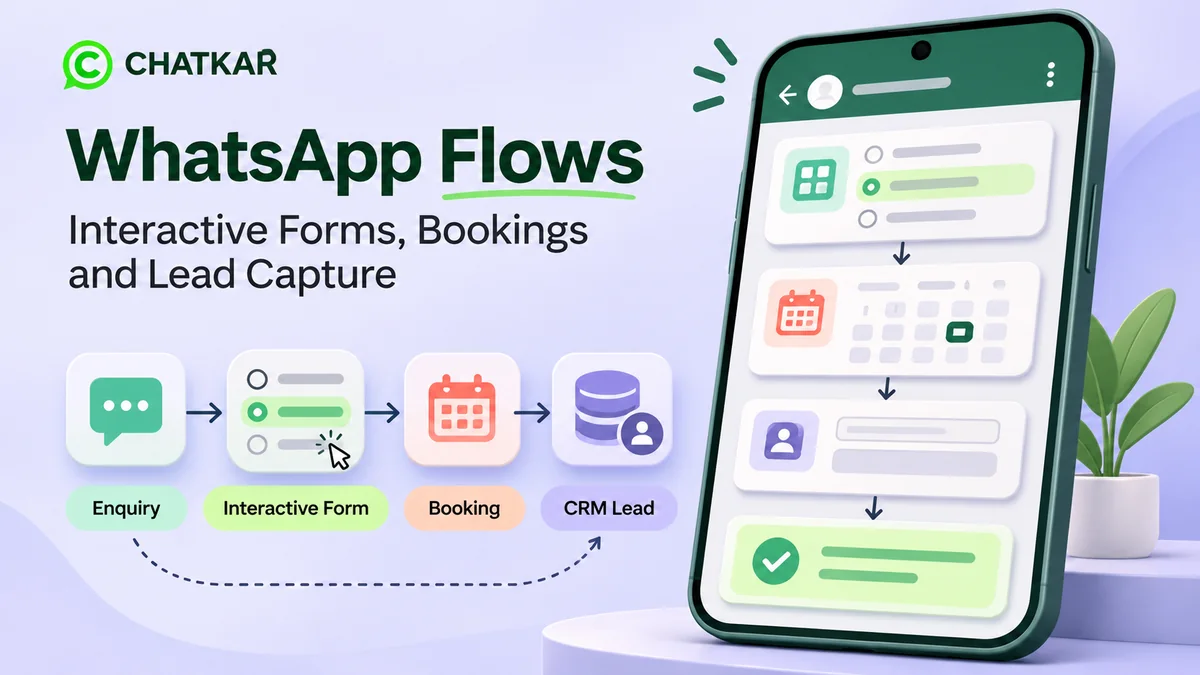
Customers often contact a business on WhatsApp with a simple request: ask for a quotation, book an appointment, register for an event, choose a product or submit feedback. When every detail has to be collected through a long series of messages, the process can become slow and difficult to manage.
WhatsApp Flows help businesses turn these conversations into structured, interactive experiences. Customers can complete forms and move through multiple steps inside WhatsApp instead of typing every answer separately or being redirected to a website for every action.
In this guide, you will learn what WhatsApp Flows are, how they work, where businesses can use them, what is needed to set them up and how to connect form submissions with follow-up workflows.
Quick answer: What are WhatsApp Flows?
WhatsApp Flows are interactive, multi-step experiences available through the WhatsApp Business Platform. They allow a business to present structured screens and collect customer responses inside a WhatsApp conversation. Common uses include lead forms, registrations, surveys, appointment requests and other guided tasks.
What Are WhatsApp Flows?
WhatsApp Flows are a feature of the WhatsApp Business Platform. They let businesses create task-focused experiences within a WhatsApp chat. Instead of asking a customer to send several separate messages, a business can guide the customer through a sequence of screens with fields and selectable options.
For example, a customer who wants a service quotation could open a Flow, select the service required, choose a location, enter a few relevant details and submit the enquiry. The business receives structured information that can be used for the next step.
Depending on the design and integration, a Flow can be a simple form or a more advanced journey that exchanges information with a business system. Real-time functions, such as checking live appointment availability, require the appropriate backend connection and implementation.
Read Meta's overview: WhatsApp Flows for businesses.
How Do WhatsApp Flows Work?
A typical customer journey has five stages:
1. Entry point
The customer receives or opens a message that invites them to start a Flow.
2. Interactive screens
The customer selects options or enters the requested information.
3. Submission
The customer reviews and submits their responses.
4. Data handling
The submission is processed by the configured WhatsApp and business systems.
5. Follow-up
The business responds, assigns the enquiry or starts the next workflow.
The exact process depends on the Flow design. A straightforward information form may only need to collect and submit answers. A Flow that needs to show live availability, calculate a price or retrieve customer-specific information needs a suitable endpoint or backend integration.
What Can Customers Do Inside a WhatsApp Flow?
WhatsApp Flows can use structured input components such as text fields, single-choice options, multiple-choice options and other supported interface elements. The available components depend on the current Flow specifications and the way the experience is built.
- Enter information: share a name, reference number or other relevant details.
- Choose an option: select a service, category, product type or preferred response.
- Answer questions: provide details needed to understand a requirement.
- Move through screens: complete a guided process instead of sending a series of unstructured messages.
- Submit a response: send the completed information for the next business action.
WhatsApp Flows Use Cases for Businesses
1. Lead Generation and Qualification
A lead form can help a business understand what a prospect needs before a sales representative follows up. A service business might ask which service the person is interested in, their city, expected start date and a short description of the requirement.
Keep the form focused. Asking for too much information at the beginning can discourage people from completing it. Collect only details that help the business respond appropriately.
2. Appointment Requests and Bookings
Businesses such as consultants, salons, repair services, training centres and professional service providers can use a Flow to collect appointment preferences. A customer might select a service, preferred date and suitable time range.
Important distinction: collecting a preferred date is not the same as confirming a booking. To show actual available slots and prevent double bookings, the Flow must connect to a calendar or booking system that checks availability and processes the request. The customer should receive a clear confirmation only after the booking system has accepted it.
3. Customer Feedback and Surveys
A feedback Flow can collect a rating, ask what went well and invite the customer to share an optional comment. Businesses can use the responses to identify recurring service issues and understand customer satisfaction.
4. Product or Service Selection
A business can guide customers through a set of questions to understand which product or service may fit their needs. For example, a supplier could ask about product category, size, quantity and delivery location before routing the enquiry to the appropriate sales team.
For live stock, personalised pricing or order calculations, connect the experience to an appropriate backend. Do not display availability or prices as confirmed unless the source system has verified them.
5. Event and Webinar Registration
Event organisers can collect attendee details, preferred session, city and registration preferences through a structured experience. The registration system should handle capacity limits and send a confirmation after a successful submission.
6. Customer Support Triage
A support Flow can ask customers to select an issue category, provide an order or service reference and describe the problem. The business can then direct the enquiry to the right support queue. Make it easy for customers to reach a human agent when the issue is urgent, unusual or difficult to resolve through a form.
WhatsApp Flows vs WhatsApp Chatbots vs Automation
These terms are related, but they describe different parts of a customer communication process.
| Tool |
Main purpose |
Example |
| WhatsApp Flows |
Collect structured responses through interactive screens inside WhatsApp. |
A customer completes a quotation request form. |
| WhatsApp chatbot |
Respond to customer messages and guide conversations. |
A bot answers a delivery question. |
| Automation workflow |
Run actions based on triggers, conditions, delays or customer activity. |
A new enquiry is assigned to a sales agent. |
These tools can work together. A customer may enter through a chatbot, complete a WhatsApp Flow and then trigger an automation that records the enquiry and routes it to a team member.
WhatsApp Flows vs a Flow Builder: What Is the Difference?
The names can sound similar, but a WhatsApp Flow and a business automation Flow Builder are not necessarily the same product.
- WhatsApp Flows refers to the interactive, in-chat experience that a customer opens and completes.
- A Flow Builder generally refers to a tool used by a business to design the automation logic that runs behind customer interactions, such as triggers, conditions, branches, waits and actions.
For example, a customer might submit a WhatsApp lead form. An automation workflow can then create or update a lead record, assign the enquiry to a team member and schedule an internal follow-up task. The form collects the information; the automation manages what happens next.
How to Create a WhatsApp Flow
The right setup depends on what the business needs to achieve. A basic form and a real-time booking experience have different technical requirements. Use this process as a planning checklist:
Step 1: Choose One Clear Objective
Start with a single task, such as capturing a sales enquiry, registering an attendee or requesting an appointment. Avoid combining unrelated tasks into one long form.
Step 2: Map the Customer's Questions
Write down the minimum information needed to complete the task. Put the easiest questions first, use familiar labels and make optional fields clearly optional.
Step 3: Design the Screens
Use a logical sequence. Group related questions together, explain why information is needed and make the final action clear. Keep the number of screens and fields proportionate to the task.
Step 4: Decide Whether a Backend Connection Is Needed
If the Flow only collects information, a simple submission process may be sufficient. If it must check available appointments, retrieve customer details or calculate a live quote, plan the required endpoint and backend integration before launch.
Step 5: Configure the Flow Through the Available Meta Tools or API
Meta provides ways to create Flows through supported WhatsApp Manager experiences and developer tools. More advanced implementations may use Flow Builder, the Flows API and a data-exchange endpoint. Review the current Meta introduction to WhatsApp Flows and the latest developer documentation before implementation.
Step 6: Test the Complete Journey
Test successful submissions, missing information, invalid answers, unavailable appointment slots, abandoned journeys and backend errors. Check what the customer sees after submission and what the business receives.
Step 7: Connect the Follow-Up Process
Decide who owns each submission, how quickly the business should respond and what happens if the customer does not receive an immediate answer. A form is only useful when the business has a clear process for acting on the information.
Interactive Self-Check: Which WhatsApp Flow Does Your Business Need?
Choose the objective that best matches your requirement, then open the matching answer to see a suggested starting point. This is a planning guide, not an automated technical assessment.
I want to collect and qualify new customer enquiries.
Suggested starting point: Lead Capture Flow. Ask for the service or product required, location and one or two qualification details. Send the submission to the sales process for review and assignment.
I want customers to request or book appointments.
Suggested starting point: Appointment Flow. Collect the service and preferred timing. For confirmed live slots, connect the Flow to a calendar or booking system that checks availability before confirmation.
I want to measure customer satisfaction.
Suggested starting point: Feedback Flow. Ask for a rating, a focused follow-up question and an optional comment. Route negative or urgent feedback to a person who can act on it.
I want customers to select products or explain what they need.
Suggested starting point: Product or Requirement Flow. Ask about product category, specifications and quantity. Connect to inventory or pricing systems before presenting live stock or final prices.
How ChatKar Supports WhatsApp Forms and Automation
ChatKar's features page lists WhatsApp Forms for interactive in-chat forms, including single-choice, multiple-choice, short-text and long-text inputs. It also describes pushing forms to the Meta Flows API and tracking submissions.
ChatKar separately lists a Flow Builder for creating automation workflows with triggers, branches, waits and other workflow actions. This distinction matters: the form is the customer-facing way to collect structured responses, while automation can manage the actions that follow.
Depending on the business workflow and configuration, these capabilities can help connect customer responses with lead handling and follow-up processes. Confirm the exact feature availability and integration requirements for your account before planning a production deployment.
Explore WhatsApp forms and automation with ChatKar
See how ChatKar brings WhatsApp forms, Flow Builder and customer communication features together for business workflows.
Explore ChatKar features
|
View plans
Best Practices for Better WhatsApp Flows
- Keep forms short. Ask only for details needed to complete the customer's task.
- Use clear language. Avoid internal business terms and unclear abbreviations.
- Explain the next step. Tell customers what happens after they submit the form.
- Make confirmation accurate. Do not tell a customer that an appointment, order or request is confirmed until the relevant system has accepted it.
- Provide a human route. Make it possible to get help when a customer cannot complete the Flow or has a complex question.
- Collect data responsibly. Explain why information is requested, limit collection to what is needed and manage access to submissions carefully.
- Test before publishing. Test the customer experience and the business-side data handling, not just whether the screens open.
- Review completion and drop-off. Identify questions or screens where customers commonly stop and simplify them where possible.
Common WhatsApp Flow Mistakes to Avoid
- Asking too many questions: long forms can create unnecessary friction.
- Using unclear choices: customers should understand what each option means.
- Skipping backend testing: a form can appear to work while the submission fails to reach the right system.
- Promising live results without integration: a date preference is not a confirmed booking, and an entered product quantity is not an inventory check.
- Ignoring incomplete submissions: plan what happens when a customer exits before finishing.
- Failing to assign ownership: every useful enquiry should have a clear next step and responsible team.
What Should Businesses Measure?
Do not judge a Flow only by how many people open it. Measure whether it helps customers complete the task and whether the business can act on the result.
- Flow starts: how many customers begin the experience.
- Completion rate: how many started journeys reach successful submission.
- Screen-level drop-off: where customers stop or abandon the process, when this data is available.
- Submission quality: whether the responses contain the information the business needs.
- Response time: how quickly the team handles submitted enquiries.
- Business outcome: how many submissions lead to qualified opportunities, completed bookings or another intended result.
Frequently Asked Questions About WhatsApp Flows
1. What are WhatsApp Flows used for?
WhatsApp Flows are used to create structured, interactive tasks inside WhatsApp. Common examples include lead capture, registrations, surveys, appointment requests, product enquiries and customer support triage.
2. Are WhatsApp Flows available in the regular WhatsApp Business App?
WhatsApp Flows are a feature of the WhatsApp Business Platform. Businesses should check the current Meta requirements and available setup options for their account rather than assume that every Flow feature is available in the standard WhatsApp Business App.
3. Can WhatsApp Flows collect customer information?
Yes. A Flow can present supported input fields and collect structured responses. Businesses should request only relevant information and explain how the information will be used.
4. Can I use WhatsApp Flows for appointment booking?
Yes. A Flow can collect appointment preferences. To show live slots and confirm a booking, connect it to a calendar or booking backend that checks availability and processes the reservation.
5. Do WhatsApp Flows require coding?
Not every Flow requires the same level of development. Meta provides guided creation options for simpler experiences and developer tools for more advanced implementations. Backend connections and custom logic may require technical work.
6. What is the difference between WhatsApp Flows and a chatbot?
A chatbot handles conversational questions and responses. WhatsApp Flows provide structured screens and input fields for completing a task. They can be used together in one customer journey.
7. Can WhatsApp Flow responses be connected to a CRM?
They can be connected to a CRM or another business system when the required integration is configured. The exact method depends on the platform, API setup and the destination system.
8. What is the difference between WhatsApp Flows and ChatKar Flow Builder?
WhatsApp Flows are customer-facing interactive experiences inside WhatsApp. ChatKar Flow Builder is an automation tool for designing business workflows and actions. They serve different purposes and can complement each other.
9. Can WhatsApp Flows show real-time information?
They can support dynamic experiences when connected to a suitable data-exchange endpoint or backend. Examples may include checking availability or retrieving information. These capabilities must be implemented and tested; they do not happen automatically in every Flow.
10. How can I get started with WhatsApp Flows?
Start by choosing one customer task, mapping the required questions, reviewing Meta's current Flow creation options and deciding whether a backend integration is needed. Test the complete experience before making it available to customers.
Final Thoughts
WhatsApp Flows can make business conversations more structured by helping customers complete useful tasks inside WhatsApp. They are especially relevant when a business needs more than a free-form chat, such as collecting a qualified enquiry, requesting an appointment, registering an attendee or gathering feedback.
The best Flow is not necessarily the one with the most screens or features. It is the one that makes the customer's next step clear, collects only the information the business needs and connects the submission to a reliable follow-up process.
Businesses planning a complete WhatsApp customer journey should consider how interactive forms, chat automation, lead assignment and human support can work together.
Related Reading