WhatsApp CRM for Sales Teams: Manage Leads, Follow-Ups & Conversions | ChatKar
Learn how a WhatsApp CRM helps sales teams capture leads, qualify enquiries, assign conversations, automate follow-ups, manage customer history and improve sales workflows.
WhatsApp CRM for Sales Teams: Manage Leads, Follow-Ups & Conversions
For many sales teams, WhatsApp is where the customer conversation actually happens. The challenge is turning those conversations into a repeatable sales process.
A WhatsApp CRM can help sales teams capture enquiries, identify the right leads, assign conversations, track customer context, automate follow-ups and give salespeople a clearer view of what should happen next.
This guide explains how a WhatsApp CRM works for sales, how to structure a lead journey, what automation should handle, where human salespeople matter, which features to look for and how ChatKar fits into the process.
Quick Answer: Why Use WhatsApp CRM for Sales?
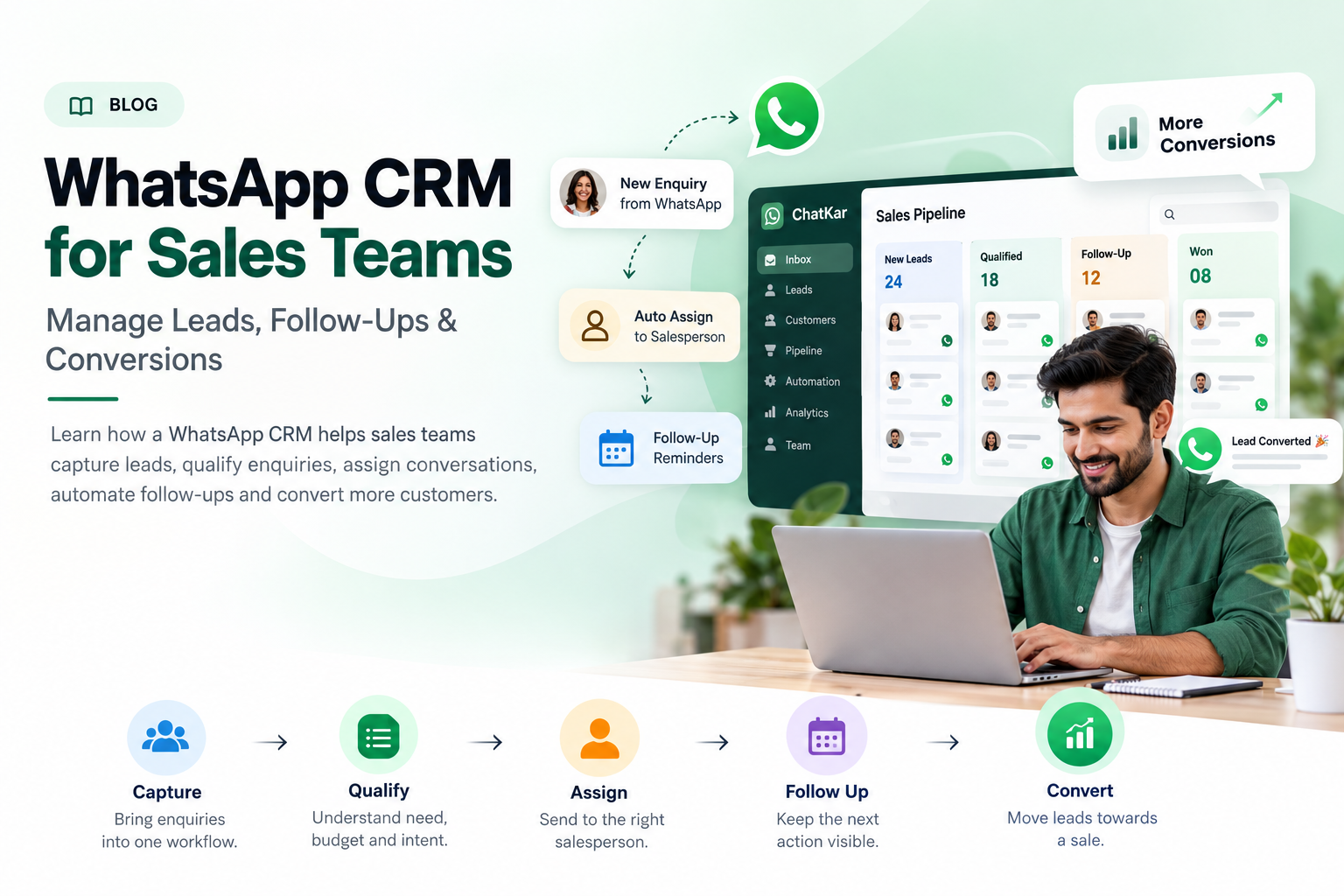
A WhatsApp CRM helps sales teams turn incoming WhatsApp conversations into a structured process: capture → qualify → assign → follow up → convert.
The purpose is not to replace salespeople. It is to remove repetitive work and make sure useful leads do not disappear inside unmanaged conversations.
Bring enquiries into one sales workflow.
Understand budget, need, location or intent.
Send the lead to the right salesperson.
Keep the next action visible.
Move qualified conversations towards a sale.
Why Sales Teams Lose WhatsApp Leads
The problem is usually not the number of enquiries. It is the lack of a consistent process after the enquiry arrives.
Slow First Response
A potential customer waits too long for someone to respond.
Wrong Assignment
The enquiry reaches a person who cannot handle it.
No Context
The salesperson cannot quickly understand previous interactions.
Missed Follow-Up
The first reply happens, but the next action never happens.
The WhatsApp Sales Funnel
A useful WhatsApp sales process should have clearly defined stages.
New enquiry
Real opportunity
Offer / quote
Decision stage
Customer
1. Capture Leads From WhatsApp
The first step is getting enquiries into a consistent workflow.
A sales team may receive WhatsApp leads from advertisements, website buttons, QR codes, social media links, product pages or direct customer enquiries.
Example: Click-to-WhatsApp Lead
Meta Ad → Customer clicks WhatsApp → Conversation opens → Lead enters the sales inbox → Sales workflow begins.
ChatKar currently supports Click-to-WhatsApp workflows and describes these conversations being routed into its inbox and pipeline. :contentReference[oaicite:1]{index=1}
2. Qualify WhatsApp Leads Before Sending Them to Sales
Not every WhatsApp enquiry is equally valuable. A simple qualification process can help salespeople spend more time on leads that match the business.
Product, service, property, plan or support requirement.
Useful where budget is an important qualification factor.
Immediate purchase, research or future requirement.
Useful for location-based products and services.
"What product are you interested in?" → "What quantity do you need?" → "When do you need delivery?" → "Our sales team will connect with you."
3. Automatically Assign Leads to the Right Salesperson
Once the lead is qualified, the next challenge is ownership.
Routing can be based on rules such as team, geography, product, lead type, workload or other business conditions supported by the platform.
Route product enquiries to specialists.
Send leads to regional teams.
Distribute enquiries across available agents.
Separate new, existing or priority customers.
ChatKar currently lists auto-assign routing rules as part of its plans. :contentReference[oaicite:2]{index=2}
4. Give Salespeople the Full Customer Context
Salespeople perform better when they do not need to start every conversation from zero.
The salesperson should be able to answer three questions quickly:
Who is this customer?
What does this customer want?
What should I do next?
5. Automate Sales Follow-Ups Without Losing the Human Touch
Follow-up is where many sales processes break down. A lead may receive a good first response and still disappear because nobody remembers to contact the customer again.
Example Follow-Up Sequence
Automation should support the salesperson, not send repetitive messages without considering the customer's situation. On the WhatsApp Business Platform, business-initiated messages must follow current template and policy requirements, while replies within the applicable 24-hour user-service window can be sent without a template. :contentReference[oaicite:3]{index=3}
What Should Automation Handle — and What Should Salespeople Handle?
Good for Automation
- Welcome messages
- Basic FAQs
- Lead capture
- Qualification questions
- Lead routing
- Reminders
- Simple status updates
Better for Humans
- Price negotiation
- Complex product questions
- High-value leads
- Objections
- Custom proposals
- Escalations
- Closing conversations
A strong sales workflow knows when automation should stop and a salesperson should take over.
WhatsApp Sales Metrics Worth Tracking
A WhatsApp CRM should help the sales manager understand what is happening after the lead enters the system.
How many enquiries arrived?
How quickly did a team member respond?
How many enquiries matched the sales criteria?
How many qualified leads received follow-up?
How many qualified conversations became customers?
Which workflows need improvement?
WhatsApp CRM Sales Use Cases by Industry
Real Estate
Property enquiries, location, budget, site visits and salesperson assignment.
E-Commerce
Product enquiries, carts, order-related conversations and repeat purchases.
Education
Course enquiries, qualification, counselling and admissions follow-up.
Healthcare
Appointment enquiries and service communication, subject to applicable privacy and regulatory requirements.
B2B Services
Enquiry qualification, proposals, follow-ups and relationship management.
Agencies
New enquiries, sales qualification, client communication and team assignments.
Common WhatsApp Sales CRM Mistakes
New, qualified, high-value and support conversations may need different workflows.
When everyone is responsible, nobody is clearly responsible.
First define the sales journey, then automate the repeatable parts.
A first response is not the same thing as a managed sales process.
Message volume alone does not tell the sales team whether the workflow is working.
Build a WhatsApp Sales Workflow With ChatKar
ChatKar currently provides features for lead capture, automated customer journeys, follow-ups, auto-assignment routing and team inbox management. Its product pages also highlight Click-to-WhatsApp workflows and integrations. :contentReference[oaicite:4]{index=4}
Bring enquiries into the workflow.
Route leads to the right team.
Automate repeatable sales actions.
Keep conversations visible to the sales team.
Monitor communication activity.
The main goal is to make WhatsApp part of the sales process instead of leaving every salesperson to manage follow-up manually.
How to Implement WhatsApp CRM for a Sales Team
Define Lead Sources
Website, ads, social media, QR codes, referrals or direct enquiries.
Create Qualification Rules
Define what makes a lead worth handing to sales.
Set Assignment Rules
Decide which team member receives which enquiry.
Build Follow-Up
Decide when automation should remind or message the customer.
Define Human Handover
Make escalation easy for valuable or complex leads.
Measure Conversion
Connect communication activity with actual sales outcomes.
Frequently Asked Questions
What is WhatsApp CRM for sales?
It is a CRM workflow that connects WhatsApp conversations with lead capture, qualification, assignment, follow-up and sales management.
Can WhatsApp CRM capture sales leads?
Yes. Compatible platforms can capture enquiries from WhatsApp and connect them with customer and lead-management workflows.
Can I automatically assign WhatsApp leads to salespeople?
Yes. Platforms that support routing can assign conversations using defined business rules.
Can WhatsApp CRM automate sales follow-ups?
Yes. Follow-up reminders, customer journeys and other repeatable workflows can be automated through compatible systems.
Should every WhatsApp sales conversation be automated?
No. Automation is useful for repetitive and predictable tasks, while negotiation, objections, complex questions and high-value conversations generally benefit from human sales involvement.
Can WhatsApp CRM connect with Click-to-WhatsApp ads?
Compatible platforms can route Click-to-WhatsApp conversations into sales workflows. ChatKar currently advertises this capability.
Can a WhatsApp CRM track sales performance?
Reporting depends on the platform, but CRM-oriented systems can track communication activity, lead stages and other sales-related metrics.
Does ChatKar support WhatsApp sales automation?
ChatKar currently lists lead capture, customer journeys, follow-ups, auto-assignment routing, team inboxes, broadcasts and flow automation among its business messaging capabilities.
Can WhatsApp sales automation send messages outside the 24-hour window?
Business-initiated messaging is subject to WhatsApp's current template and policy requirements. During the applicable 24-hour user-service window, businesses can respond without using a template under the current policy.
Related WhatsApp CRM & Sales Guides
Final Thoughts
A WhatsApp CRM can make a significant difference to a sales team when it solves the right operational problems.
The goal is not to automate every message. The goal is to create a process where good leads are captured, qualified, assigned and followed up without unnecessary manual effort.
Capture → Qualify → Assign → Follow Up → Convert
That is the basic sales workflow a WhatsApp CRM should make easier to manage.
Turn WhatsApp Enquiries Into a Sales Process
Capture leads, qualify enquiries, automate follow-ups and help your sales team manage customer conversations with ChatKar.
Explore Sales Features View Pricing