AI-Powered WhatsApp Customer Support Automation: Chatbots vs Human Agents
Discover how AI-powered WhatsApp chatbots and human support agents work together to automate customer enquiries, improve response times and deliver better customer experiences.
WhatsApp Customer Support Automation: AI vs Human Agents | ChatKar
WhatsApp Automation | Customer Experience
WhatsApp Customer Support Automation: How AI Chatbots and Human Agents Work Together
Customers expect quick answers, simple communication and reliable support. But managing hundreds of WhatsApp conversations manually can become difficult as a business grows.
WhatsApp customer support automation helps businesses manage repetitive enquiries, organize conversations and connect customers with human representatives when necessary.
Why Businesses Need WhatsApp Customer Support Automation
WhatsApp has become an important business communication channel. Customers use it to ask about products, check orders, request assistance and resolve service issues.
However, relying entirely on manual support can create several challenges:
The opportunity: Let automation manage repetitive interactions while human agents focus on complex questions, complaints and situations requiring personal attention.
What Is WhatsApp Customer Support Automation?
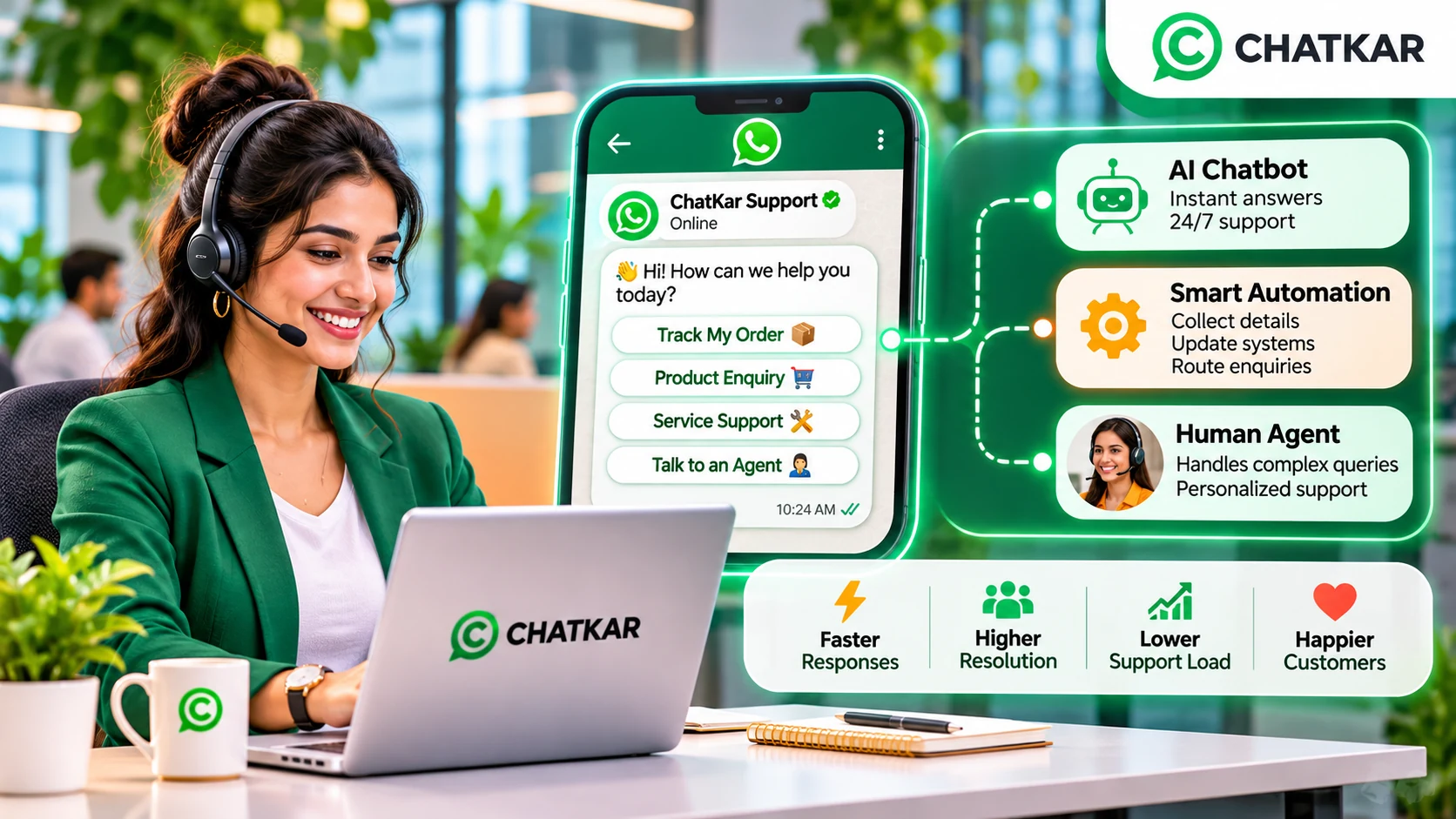
WhatsApp customer support automation uses messaging workflows, chatbots, integrations and business rules to manage customer enquiries with less manual effort.
Depending on the implementation, an automated system can:
Welcome customers automatically.
Identify the type of enquiry.
Answer frequently asked questions.
Share product and service information.
Collect information needed to resolve an issue.
Route conversations to the appropriate department.
Transfer complicated conversations to human agents.
How an Automated WhatsApp Support Journey Works
Imagine a customer contacting a business to check an order. A properly configured workflow can identify the request, collect the order reference and retrieve relevant information through an integrated system.
📩 Customer Message
🤖 AI or Workflow
📋 Information Retrieval
👨💻 Human Handoff
Illustrative workflow. Actual functionality depends on connected systems and configuration.
AI Chatbots vs Human Support Agents
Should businesses replace their support teams with AI? Not necessarily. Both approaches have different strengths.
Support Activity
AI Chatbot
Human Agent
Repeated questions
Well suited
Can be time-consuming
Basic information
Can answer using configured knowledge
Can provide assistance
Complex complaints
May require escalation
Better suited to judgement
Empathy
Limited
Human understanding
High message volume
Can scale configured workflows
Depends on team capacity
Personalized assistance
Depends on context and integrations
Can adapt to the situation
5 Practical WhatsApp Support Automation Use Cases
📦
1. Order Tracking
Customers can request order updates through an integrated order-management workflow.
❓
2. Frequently Asked Questions
Answer common questions about pricing, delivery, availability and business hours.
📅
3. Appointment Requests
Collect preferred dates and appointment details through structured interactions.
🛠️
4. Service Complaints
Collect issue details and route requests to the appropriate support team.
🛒
5. Product Assistance
Help customers explore product information and connect with sales representatives.
Try an Interactive WhatsApp Support Demo
Explore a simplified example of how an automated support menu can guide customers.
SIMULATED CUSTOMER CONVERSATION
ChatKar Support Assistant
Hello! 👋 Welcome to customer support. How can we help you today?
This is a front-end demonstration, not a live WhatsApp connection.
How to Build a Better Automated Support Workflow
1. Identify Common Customer Questions
Review your customer enquiries and identify repetitive questions. Start with requests that have clear and reliable answers.
2. Keep the Conversation Simple
Use short messages, clear options and simple navigation. Avoid forcing customers through unnecessary steps.
3. Connect Your Business Systems
For useful order updates, appointment confirmations and account-related responses, connect the workflow to the appropriate business systems.
4. Provide Human Handoff
Customers should have a clear way to reach a human representative, particularly for complaints, sensitive requests and complicated issues.
5. Monitor Performance
Measure response times, unresolved enquiries, handoff rates, customer satisfaction and resolution rates. Improve your workflows using actual customer feedback.
Important WhatsApp Automation Rules
Effective automation also requires businesses to follow WhatsApp Business Platform requirements.
Obtain appropriate customer opt-in before sending business-initiated messages.
Follow applicable messaging and template requirements.
Respect customer requests to stop receiving messages.
Protect customer information and personal data.
Provide appropriate escalation options.
Keep automated responses accurate and relevant.
Always check the latest Meta policies before launching a messaging workflow.
How ChatKar Can Help Businesses
Effective customer support requires more than an automated greeting. Businesses need organized communication, reliable workflows and a clear process for handling customer enquiries.
ChatKar provides a platform to explore WhatsApp Business communication and automation solutions.
Depending on the selected solution and integration, businesses can explore:
WhatsApp Business Platform integration.
Automated customer messaging workflows.
Structured enquiry handling.
Customer engagement and follow-up.
Organized business communication.
Make Your Customer Support Smarter With ChatKar
Explore WhatsApp business communication and automation possibilities for your organization.
Answer these questions to check what you have learned.
Question 1: What is the main benefit of automating repetitive support questions?
Question 2: When should a conversation be escalated?
Question 3: Why should businesses monitor automation performance?
Frequently Asked Questions
What is WhatsApp customer support automation?
It uses messaging workflows, chatbots and integrations to handle customer enquiries through WhatsApp with reduced manual effort.
Can AI chatbots replace human customer support agents?
AI can handle repetitive tasks, while human agents remain important for complex problems, judgement and personalized assistance.
Can WhatsApp automation track customer orders?
Yes. When connected to a suitable order-management system, an automation workflow can retrieve and share relevant order information.
Is WhatsApp Business API required for advanced automation?
The WhatsApp Business Platform provides capabilities for advanced business messaging and automation. The appropriate implementation depends on the features required.
Can customers request a human agent?
Businesses should provide an appropriate handoff process so customers can reach a human representative when automated assistance is insufficient.
Does WhatsApp automation guarantee better customer satisfaction?
No. Results depend on workflow quality, response accuracy, integrations, customer expectations and effective human support.
Final Thoughts
WhatsApp customer support automation is not about removing the human element from customer service. It is about making communication more efficient.
Let automation handle repetitive tasks, give customers quick access to useful information and allow human representatives to focus on conversations that need personal attention.
Combining efficient automation with meaningful human support can help businesses build a stronger customer experience.
Disclaimer: Feature availability and messaging requirements may change. Refer to official Meta documentation for current technical and policy requirements.
#WhatsApp AI chatbot#WhatsApp customer service#automated customer support#WhatsApp Business API#chatbot human handoff.
Join thousands of businesses running customer journeys across eleven live channels. Self-host on your own infrastructure or launch on our managed cloud.