WhatsApp for Education: Admission Enquiries, Student Counselling & Communication
Learn how educational institutions can use WhatsApp to manage admission enquiries, share course information, arrange counselling appointments and improve student communication. Explore practical workflows for schools, colleges, coaching institutes and training centres.
WhatsApp for Education: Admission Enquiries, Student Counselling & Communication
Students and parents often have questions before choosing a school, college, coaching institute or training programme. They may want to know about courses, eligibility, fees, admission dates, class schedules, documents or application status. When enquiries arrive through websites, advertisements, phone calls and social media, it can become difficult for an education team to keep every conversation organised.
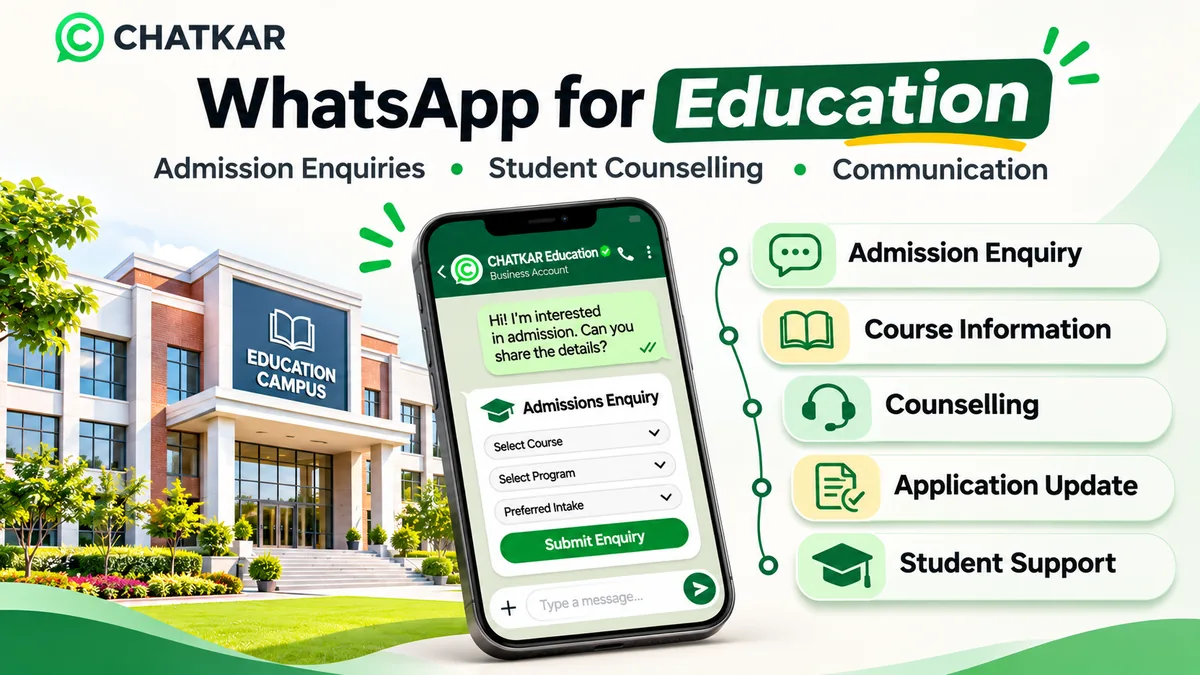
WhatsApp for education can help educational institutions manage admission enquiries, share course information, coordinate counselling requests and send relevant updates through a familiar communication channel. With the right workflows, teams can organise conversations, route prospective students to counsellors and maintain a clearer follow-up process.
Quick answer: How can educational institutions use WhatsApp?
Schools, colleges, universities, coaching centres and training providers can use WhatsApp to respond to admission enquiries, share course details, collect basic application information, arrange counselling appointments and provide opted-in updates. Integrations with an admission system or student information system are needed for automatic status syncing or other institution-specific actions.
1. Why WhatsApp Is Useful for Education Institutions
Choosing an educational programme can involve several conversations. A prospective student may compare courses, ask about eligibility, discuss fees with family and request counselling before applying. A parent may need information about admission procedures, schedules or school communication channels.
WhatsApp can make these conversations easier to manage when an institution has a clear process for responding, sharing accurate information and routing questions to the right department.
Common uses include:
Responding to admission and course enquiries.
Sharing prospectuses, course outlines and official links.
Collecting basic programme preferences and enquiry details.
Arranging a callback or counselling appointment.
Sending relevant application and event updates.
Routing questions to admissions, accounts or student support teams.
Maintaining conversation history and follow-up ownership.
2. The Education Enquiry Journey on WhatsApp
A useful communication journey should help a student move from an initial question to the right next step. The following coding-only animation illustrates one example. It does not imply that every action happens automatically without configuration or integration.
From Admission Enquiry to Student Support
Animated workflow built with HTML and CSS. No external image is loaded.
💬1. Enquiry
Student or parent asks about a course or admission.
📚2. Information
Share verified course details and official resources.
🎓3. Counselling
Route the question to an appropriate counsellor.
📝4. Application
Guide the applicant to the official application process.
🤝5. Support
Handle permitted updates and student support enquiries.
3. Where Can Education Enquiries Come From?
Institutions may receive enquiries from many sources. Identifying the original source helps admissions teams understand which programme or campaign the student is asking about.
Institution Website
A website can include a WhatsApp contact option on course pages, admission pages and event pages. The call to action should make clear which institution or department the visitor is contacting.
Click-to-WhatsApp Advertisements
Meta ads can open a WhatsApp conversation when a person clicks the messaging action. An institution can use this route for course enquiries, open-day registrations or counselling requests, subject to the required messaging permissions and account setup.
Education Fairs and Campus Events
QR codes at exhibitions, seminars, open days and campus events can help interested visitors start a WhatsApp conversation. Use event-specific links or labels so the admissions team can identify the enquiry source.
Course Landing Pages
Separate landing pages for undergraduate programmes, postgraduate courses, professional training and coaching batches can direct enquiries to the relevant admissions team. Use clear programme names and avoid collecting unnecessary information in the first interaction.
Referrals and Existing Student Communities
Referrals can be a useful enquiry source, but receiving a person's number from another student does not automatically establish WhatsApp opt-in. Ask the prospective student to start the conversation or obtain the required permission before sending messages.
4. What Information Should an Admission Enquiry Form Collect?
A short admission enquiry form can help a counsellor understand what the person is looking for. The form should collect only the information needed for the next step.
Possible first-stage fields include:
Applicant name: the name the person wants the institution to use.
Course or programme: the programme they are interested in.
Study level: school, undergraduate, postgraduate, diploma or professional training.
Preferred campus or location: where the programme is offered, if relevant.
Admission intake: the academic session or batch they are asking about.
Question or requirement: a short description of what they need to know.
Next step: course details, callback, counselling or official application link.
Do not request identity documents, sensitive personal details, payment credentials or extensive academic records in a basic marketing enquiry. Direct applicants to the institution's authorised and secure application system for formal submissions.
5. Interactive Education Workflow Selector
Select the type of institution to see a suggested WhatsApp workflow. This is a planning example, not a live admission form or a replacement for an institution's admission policy.
Which type of institution are you managing?
Suggested workflow: Parent and admission enquiry management
Share official admission information, collect the class or grade of interest, arrange a call with the admissions office and route existing parent questions to the correct school department.
Suggested workflow: Programme discovery and applicant counselling
Ask about the programme and intake, share the official prospectus and eligibility information, and route the enquiry to the relevant course counsellor.
Suggested workflow: Course enquiry and batch information
Capture the subject or exam category, preferred batch or mode, location and callback preference. Share verified batch schedules and course details.
6. Share Course Information and Official Documents
Once the institution understands the enquiry, it can share relevant information through WhatsApp. The information should be current and consistent with the institution's official website and published admission materials.
Useful materials may include:
Course prospectus and programme overview.
Eligibility and admission procedure.
Academic calendar and important dates.
Fee structure and authorised payment instructions.
Campus location and official contact details.
Event or open-day registration information.
Frequently asked questions and official application links.
Keep admission information accurate.
Before sharing a document, verify the course name, eligibility, fee information, intake, deadlines and version. Do not circulate an old prospectus or an unapproved fee sheet as if it were the current official information.
Example: Course Information Reply
Reveal a sample WhatsApp reply
Hello {{name}}, thank you for contacting {{institution_name}}.
You can review the official information for {{course_name}} using the prospectus link below.
Would you like to speak with an admissions counsellor about eligibility, the application process or the next intake?
Use this as an example reply within an active customer service window. For business-initiated communication outside that window, use an approved template and follow Meta's rules.
7. Coordinate Counselling Appointments
Some questions are easier to resolve through a conversation with an admissions counsellor. WhatsApp can help collect a preferred callback time or counselling request and route it to the right person.
A typical process may be:
Ask which course or programme the person is considering.
Collect the preferred day and time for a callback.
Identify the appropriate counsellor or department.
Check the actual availability of the counsellor.
Confirm the appointment only after the slot has been accepted.
Share the call or meeting details through an appropriate message.
Record the outcome and any agreed next step.
Important: Collecting a preferred time is not the same as confirming an appointment. Automatic slot selection requires a connected calendar or scheduling system. Without that integration, the admissions team must confirm the timing manually.
8. Support Application Updates and Important Reminders
After an applicant enters the formal admission process, the institution may need to communicate about application stages, missing information, interview schedules or other administrative steps.
Before automating these messages, decide which system is the source of truth. If application status is stored in an admission management system, a WhatsApp notification should only be sent after that system reports the relevant status.
Possible communication categories include:
Confirmation that an application has been received.
A reminder to review the official application portal.
An interview or counselling appointment update.
Information about an open day or orientation event.
General student support or helpdesk information.
Do not disclose sensitive application details, examination results, disciplinary information or confidential student records in an ordinary promotional workflow. Use the institution's authorised secure systems and approved communication procedures for confidential information.
9. Organise Enquiries and Assign Them to the Right Team
As enquiry volume increases, a school or college may have separate teams for admissions, course counselling, accounts, examinations and student support. A shared inbox or CRM workflow can help direct questions to the right department.
Enquiry stage
Meaning
Suggested next action
New enquiry
A prospective student or parent has contacted the institution.
Record the source and understand the purpose of the enquiry.
Course information shared
Official course information has been provided.
Answer relevant questions or offer counselling.
Counselling requested
The person wants a conversation with an advisor.
Assign a counsellor and coordinate availability.
Application referred
The applicant has been directed to the official application process.
Provide the correct portal and instructions.
Application in progress
The formal admission process is underway.
Use the admission system for accurate status and approved updates.
Enrolled / not proceeding
The enquiry has reached an outcome.
Record the outcome and update communication preferences.
Give each active enquiry a clear owner. Internal notes should help the next team member understand what has already been shared and what action is pending.
10. WhatsApp Communication for Parents and Existing Students
Educational institutions may also use WhatsApp for communication with parents, guardians and existing students, where the institution has established an appropriate and permitted communication process.
Examples include:
Information about a school event or parent meeting.
General schedule or timetable announcements.
Campus closure or operational notices.
Orientation and event reminders.
General helpdesk information.
Links to official portals and institutional resources.
For communications involving children or younger students, follow the institution's safeguarding, parent or guardian communication and consent procedures. Do not assume a student's personal number is the correct contact for every kind of communication.
11. Privacy, Consent and Responsible Education Communication
Education providers may handle personal information about applicants, students, parents and guardians. A WhatsApp workflow should collect only what is necessary for its purpose and should not become an informal repository for sensitive student records.
Obtain the Required WhatsApp Opt-in
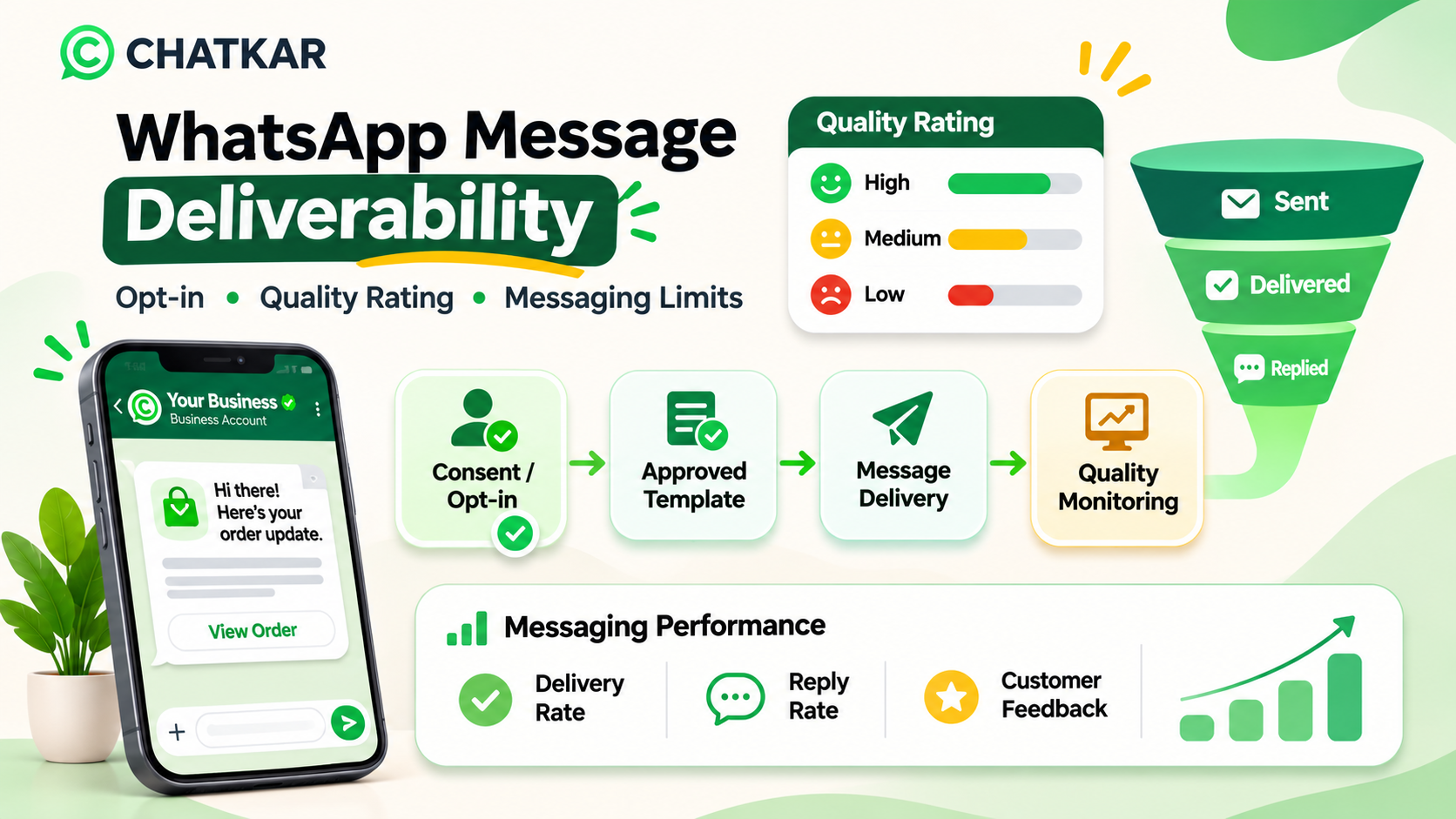
WhatsApp's Business Messaging Policy requires businesses to have the person's number or username and opt-in permission before contacting them. The institution should explain which messages the person is agreeing to receive and honour opt-out requests.
Use Approved Templates for Business-Initiated Messages
On the WhatsApp Business Platform, business-initiated conversations require approved message templates. Within the 24-hour customer service window after a user message, free-form replies are permitted. Outside that window, approved templates are required.
Provide a Human Support Route
Automation can handle routine questions, but a person should be able to reach the admissions office or student support team when the question needs individual attention. Meta's policy requires a clear escalation path when automation is used during the customer service window.
Protect Student and Applicant Information
Do not use ordinary marketing broadcasts to distribute confidential documents, detailed academic records, identity documents or sensitive personal information. Use approved institutional portals and secure systems for formal submissions and confidential records.
Review Applicable Privacy Requirements
Institutions should review applicable privacy and child-data requirements for their users, especially where students are minors. The communication design should be approved by the institution's authorised compliance or legal team.
Use this checklist to review your institution's WhatsApp enquiry process.
13. Interactive Knowledge Check
Test your understanding of responsible WhatsApp communication in education.
Question 1: A student submits a course enquiry on a website. Can the institution automatically add the number to every WhatsApp promotional campaign?
Not necessarily. A course enquiry does not automatically mean the person agreed to every category of WhatsApp communication. Obtain and record the appropriate permission.
Correct. The institution should make the purpose of the communication clear and respect the person's preferences.
Incorrect. Automation does not remove consent requirements.
Question 2: A parent asks for a confidential student record through a general promotional WhatsApp workflow. What is the better action?
Incorrect. Confidential student records should not be placed into broad marketing workflows.
Correct. Use the institution's approved identity checks and secure systems for confidential information.
Incorrect. Access should be limited to authorised people following institutional procedures.
Question 3: A prospective student asks to speak with an admissions counsellor. What should the automation do?
Incorrect. Repeating automated answers does not address the student's request.
Correct. Provide a clear handover route and preserve the conversation context for the counsellor.
Incorrect. The person is expressing a clear need for further assistance.
14. How ChatKar Can Support Education Communication
ChatKar's current website lists WhatsApp communication capabilities such as a team inbox, broadcasts, Flow Builder, WhatsApp Forms, chat links, chatbot and integrations. These features can provide building blocks for education enquiry and communication workflows, depending on the account configuration and the institution's requirements.
Possible workflow applications include:
Team inbox: help authorised admissions staff manage conversations in a shared workspace.
WhatsApp Forms: collect structured course enquiry information where the configured form supports the required fields.
Flow Builder: organise configured automation steps, conditions and follow-up actions.
Chatbot: answer routine questions and direct enquiries to the appropriate team.
Broadcasts: send eligible updates to contacts who have the required permission, using approved templates where required.
Integrations and APIs: connect to external systems where the required integration is implemented and supported.
Do not assume that a specific school ERP, learning management system, fee system or admission portal is automatically connected. Confirm the integration and data mapping before promising automatic application status updates, fee notifications or student-record syncing.
Organise WhatsApp Communication with ChatKar
Explore ChatKar's WhatsApp forms, team inbox, chatbot and workflow automation capabilities for business communication.
15. Frequently Asked Questions About WhatsApp for Education
1. How can schools use WhatsApp?
Schools can use WhatsApp for permitted admission enquiries, general parent communication, event information, reminders and helpdesk routing. They should follow institutional safeguarding, consent and privacy procedures, especially when communicating about children.
2. Can colleges use WhatsApp for admission enquiries?
Yes. Colleges can use WhatsApp to respond to course enquiries, share official prospectus information, collect basic programme preferences and route prospective students to admissions counsellors.
3. Can WhatsApp automate admission enquiries?
A configured chatbot or form can answer routine questions and collect basic enquiry details. Complex eligibility questions, exceptions and formal admission decisions should be handled by authorised institution staff.
4. Can institutions share course brochures through WhatsApp?
Yes. Businesses can share supported documents and links through the WhatsApp messaging experience. Verify that the prospectus, fee information and course details are current and officially approved.
5. Can WhatsApp collect student application details?
A form can collect basic enquiry information, but formal application submissions and sensitive academic or identity records should use the institution's authorised secure admission system.
6. Can WhatsApp schedule counselling appointments?
A workflow can collect a preferred callback or appointment time. To confirm live availability automatically, connect it to a calendar or scheduling system that checks the counsellor's actual availability.
7. Can schools send messages to parents through WhatsApp?
They can communicate with parents or guardians where the institution has an appropriate contact and consent process. Schools should follow their safeguarding policies and applicable privacy requirements.
8. Can WhatsApp connect to a school ERP or student information system?
It may be possible through a supported API, webhook, connector or custom integration. The availability depends on the specific ERP, WhatsApp provider and technical implementation. Verify the connection before promising automatic status updates.
9. Are WhatsApp admission reminders free?
Not necessarily. Pricing depends on message category, recipient country and the current Meta pricing rules. Business-initiated messages may require approved templates. Check the current rate card and provider fees.
10. Is WhatsApp suitable for confidential student records?
Do not use ordinary marketing broadcasts for confidential student records. Follow institutional access controls and use authorised secure systems for formal records and sensitive information.
Final Thoughts
WhatsApp can help educational institutions manage the communication around admissions, course enquiries, counselling and student support. The most useful approach is to keep the first interaction simple, share accurate official information and route questions to the right person.
Start with one well-defined workflow, such as a course enquiry form or admissions counselling request. Add application-status notifications or student-system integrations only after the required systems and permissions have been connected and tested.
Use WhatsApp to make communication easier for students, parents and institution teams—not to replace the official admission process or expose confidential student information.
Important: WhatsApp policies, product capabilities and integration availability can change. Verify current Meta requirements and the exact integrations available in your ChatKar account before deploying an education communication workflow.
#WhatsApp for Education#WhatsApp for Schools#WhatsApp for Colleges#WhatsApp Admission Automation#Student Communication#Education Lead Generation#WhatsApp CRM for Education#Admission Enquiry Management
Join thousands of businesses running customer journeys across eleven live channels. Self-host on your own infrastructure or launch on our managed cloud.