WhatsApp for Real Estate: Property Enquiries, Buyer Qualification & Site Visit Booking
Learn how real estate businesses can use WhatsApp to capture property enquiries, qualify buyers, share brochures and floor plans, coordinate site visits and manage sales follow-ups. Explore practical workflows for builders, brokers and property developers.
WhatsApp for Real Estate: Property Enquiries, Buyer Qualification & Site Visit Booking
Property buyers often contact builders, brokers and channel partners with questions about location, configuration, pricing, possession timelines and site visits. Those enquiries may arrive from property portals, websites, advertisements, project QR codes or referrals. When every enquiry is handled manually across different phones and spreadsheets, it becomes difficult to maintain a consistent follow-up process.
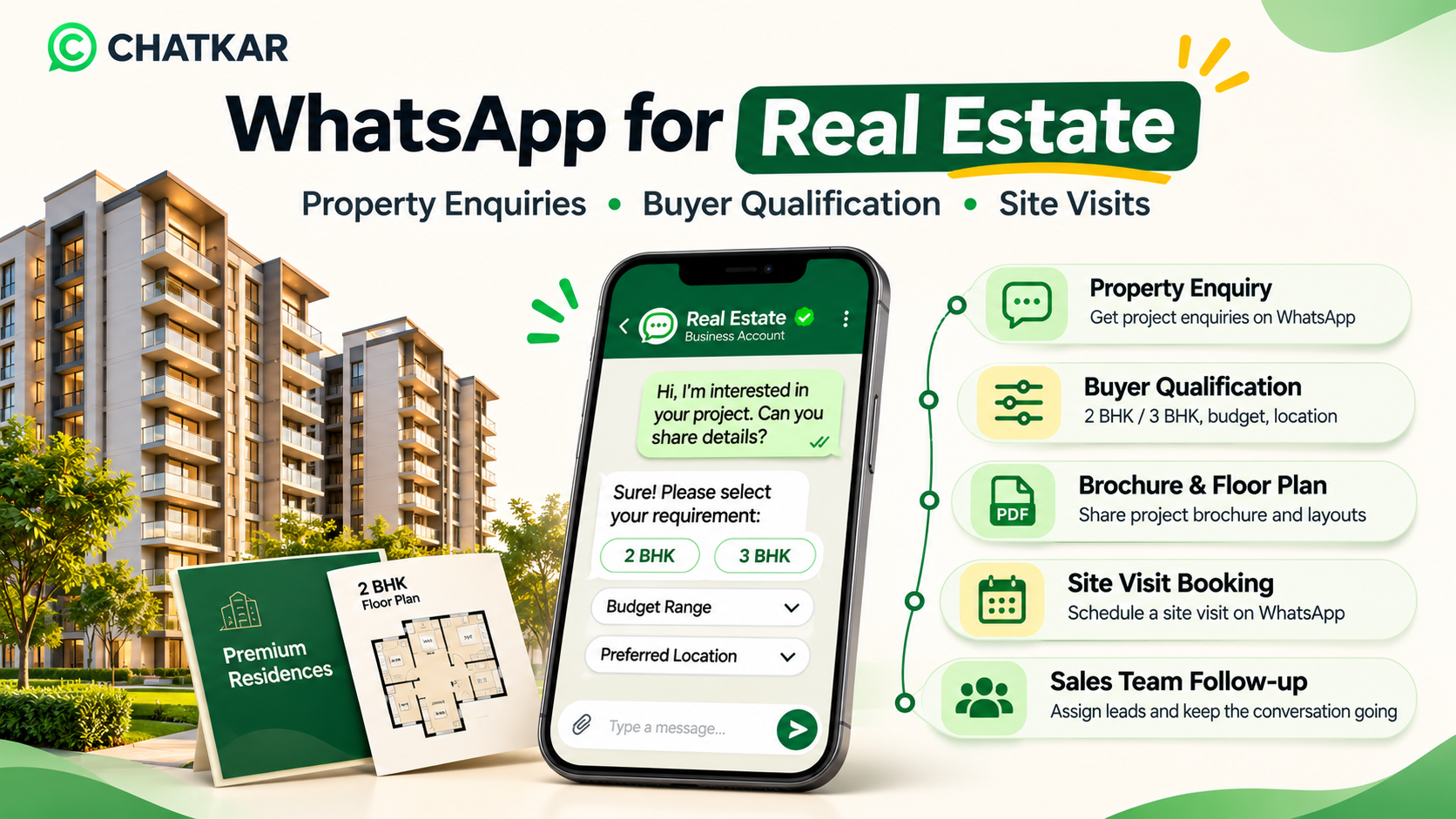
WhatsApp for real estate can help property businesses manage customer conversations, share project information, qualify buyer requirements and coordinate site visits. With the right WhatsApp Business Platform setup and connected business systems, teams can organise enquiries and guide prospects from their first question to the next sales step.
Quick answer: How can real estate businesses use WhatsApp?
Use WhatsApp to respond to opted-in property enquiries, ask about configuration and budget, share relevant brochures or floor plans, collect site-visit preferences, assign conversations to sales advisors and follow up with buyers. Live appointment confirmation and portal lead syncing require the relevant integrations and configuration.
1. Why WhatsApp Is Useful for Real Estate Sales Teams
Buying a property is a considered decision. Customers may compare multiple projects, ask for documents, discuss financing with their family and take several weeks or months before making a decision. A useful communication process should make it easy for a buyer to ask questions and for a sales team to keep track of the conversation.
WhatsApp can support this process because customers can use a familiar messaging channel to ask questions, receive information and continue a conversation. For a sales team, a shared and organised workspace can help reduce missed enquiries and make handovers easier.
Common opportunities include:
Responding to property enquiries from eligible lead sources.
Understanding a buyer's preferred property type and configuration.
Sharing project brochures, floor plans, price sheets and walkthrough links.
Collecting preferred dates and times for site visits.
Routing enquiries to the right project advisor or sales team.
Keeping a record of conversations, notes and next actions.
Sending relevant follow-ups when the customer has the required opt-in.
2. The Real Estate Customer Journey on WhatsApp
A practical WhatsApp journey should have a clear next step at each stage. The following coding-only animation illustrates one possible process. It is a workflow example, not a claim that every stage is automatically available in every CRM or WhatsApp account.
From Property Enquiry to Site Visit
Animated workflow built with HTML and CSS. No external image is loaded.
💬1. Enquiry
Buyer contacts the business through an eligible source.
🏠2. Qualification
Capture property type, budget and preferred location.
📄3. Brochure
Share relevant project information and documents.
📅4. Site Visit
Collect a preferred slot and confirm availability.
🤝5. Follow-up
Assign an advisor and record the next action.
3. Where Can Real Estate WhatsApp Enquiries Come From?
A property business may receive enquiries from several channels. The first task is to identify the source and preserve it in the lead record so that the sales team understands what the customer asked about.
Click-to-WhatsApp Advertisements
Meta ads can open a WhatsApp conversation when a person clicks the ad's messaging call to action. This can let a prospective buyer start a conversation about a project, location or offer. The business should make sure the ad, welcome message and follow-up experience are consistent.
Project Website and Landing Pages
A website can include a WhatsApp contact option beside project details, enquiry forms or site-visit information. The visitor should know which business they are contacting and what will happen after submitting their details.
Property Portals and Listing Platforms
Enquiries from property portals may be transferred into a CRM through an available integration, API, webhook, approved connector or a controlled manual process. Do not assume that every portal supports automatic syncing. Confirm the portal's terms, technical access and the actual integration before promising automation.
Important consent point: A phone number shared through a property portal is not automatically proof that the person has opted in to receive WhatsApp messages from your business. Collect and record the required WhatsApp permission before sending business-initiated messages.
QR Codes at Project Sites and Events
A QR code on a site board, brochure, exhibition stand or business card can open a WhatsApp chat or a project-specific enquiry journey. Use a clear label so customers understand which project or team they are contacting.
Referrals and Existing Customers
Referral contacts and previous customers can be managed through WhatsApp when the customer has agreed to the relevant communication. Record the source and message preference instead of assuming that an existing relationship grants unlimited messaging permission.
4. Qualify Property Buyers Before Assigning the Lead
Not every enquiry needs the same follow-up. A buyer looking for a ready-to-move 2 BHK has different questions from someone researching a plot for a future investment. A short qualification process helps the advisor prepare a more relevant response.
Useful first-stage questions include:
Property requirement: apartment, villa, plot, commercial unit or rental property.
Configuration: 1 BHK, 2 BHK, 3 BHK or another requirement.
Preferred location: project, locality, suburb or area.
Budget range: use broad ranges relevant to the project.
Purpose: self-use, investment, rental or business use.
Purchase timeline: immediate, within a few months or still researching.
Next step: brochure, callback, price discussion or site visit.
Keep the opening form short. Avoid asking for highly sensitive personal or financial information before it is genuinely required. The purpose of first-stage qualification is to understand the enquiry, not to collect every detail about the buyer.
5. Interactive Buyer Requirement Selector
Explore how the next conversation could change depending on the buyer's objective. Select an option to reveal a suggested follow-up. This is an illustrative planning tool, not a live customer form or property recommendation engine.
What is the buyer primarily looking for?
Suggested next step: Understand the home requirement.
Ask about preferred configuration, locality, budget range and purchase timeline. Then share the relevant project brochure and floor plan.
Suggested next step: Understand the investment criteria.
Ask which location and property type the buyer is considering, the approximate budget and whether the buyer wants a callback to discuss the project information. Do not promise returns or future appreciation.
Suggested next step: Capture rental preferences.
Ask about the preferred area, configuration, approximate monthly rent range, move-in timeline and viewing preference. Share current availability only after checking the listing information.
6. Share Property Brochures, Floor Plans and Project Details
Once the business understands the buyer's requirement, it can share the information that is relevant to that enquiry. WhatsApp supports sharing documents and other media through the applicable messaging experience and account setup.
Common property materials include:
Project brochure and overview.
Floor plans and configuration details.
Current price sheet or cost breakdown.
Project location and directions.
Construction progress photographs or videos.
Amenities and specification documents.
Frequently asked questions about the project.
Keep property information accurate.
Before sharing a brochure or cost sheet, verify the project name, configuration, area description, price validity, charges, availability, possession information and applicable registration details with the authorised project source. Do not let an old document circulate as if it were current.
Example: Property Brochure Message
Reveal a sample WhatsApp reply
Hello {{name}}, thank you for your interest in {{project_name}}.
Based on your requirement, I am sharing the available project brochure and floor-plan information for your review.
Would you prefer to discuss the details with an advisor or request a site visit?
Use this as an example reply inside an active customer service window. For a business-initiated message outside that window, use an approved template and follow the relevant Meta rules.
7. Book and Confirm Site Visits Through WhatsApp
A site visit is an important step in the property sales process. WhatsApp can help collect the buyer's preferred date and time, share the location and coordinate confirmation with the assigned advisor.
A practical site-visit workflow may include:
Ask whether the buyer would like to visit the property.
Collect the preferred date and time range.
Check the authorised project team's calendar or booking system.
Confirm the slot only after availability is verified.
Share the site address and approved directions.
Assign an advisor or representative to meet the buyer.
Send a reminder where permitted and record the visit outcome.
Important: Asking a buyer for a preferred time is not the same as confirming an appointment. To show live availability and prevent double bookings, the workflow needs a calendar or booking-system integration. Without that connection, the sales team should confirm the slot manually.
Example: Site Visit Request
Reveal a sample site-visit message
Thank you for your interest in {{project_name}}. We can help arrange a site visit.
Please share your preferred date and time. Our project advisor will check availability and confirm the appointment with you.
After confirmation, we will share the site location and meeting details.
8. Organise Leads and Assign Them to Sales Advisors
As enquiries increase, the business needs a clear way to decide who handles each conversation. A shared inbox and contact record can make it easier for the team to see the conversation history, customer requirement and next action.
Suggested lead stages for a real estate sales pipeline:
Lead stage
Meaning
Suggested next action
New enquiry
A new property enquiry has arrived.
Check source, permission and project interest.
Contacted
The business has responded or attempted contact.
Understand the buyer's requirement.
Qualified
Basic property preferences and budget range are known.
Assign the right advisor and share relevant material.
Brochure shared
Relevant project information has been sent.
Answer questions and offer a site visit.
Visit requested
The buyer has asked for a visit.
Check the calendar and confirm the slot.
Visit confirmed
The project team has confirmed the appointment.
Share directions and meeting details.
Visited
The buyer has completed the site visit.
Record feedback and agree on the next step.
Negotiation / decision
The buyer is evaluating the commercial details.
Arrange an authorised sales discussion.
Won / lost / nurture
The lead has reached an outcome or needs longer follow-up.
Record the outcome and respect communication preferences.
Define ownership for each stage. A lead should not remain unassigned simply because several agents can see the same inbox. Record internal notes and tasks so the next team member has context.
9. Follow Up Without Spamming Property Buyers
Real estate decisions can take time. Some buyers are ready to visit this weekend, while others are comparing locations or waiting for a financial decision. A useful follow-up process should reflect the buyer's stated interest and preferences.
Good follow-up practices include:
Refer to the project or requirement the buyer actually asked about.
Share new information only when it is relevant and verified.
Use reasonable intervals instead of repeated daily reminders.
Stop or adjust messages when the buyer asks not to receive them.
Assign a human advisor when the buyer asks for a call or detailed discussion.
Record the conversation outcome so another salesperson does not repeat the same questions.
10. WhatsApp Rules Real Estate Businesses Should Follow
Real estate businesses should treat WhatsApp as a permission-based communication channel. The fact that a person enquired about a property or shared a phone number does not mean the business can send unlimited promotional messages.
Obtain WhatsApp Opt-in
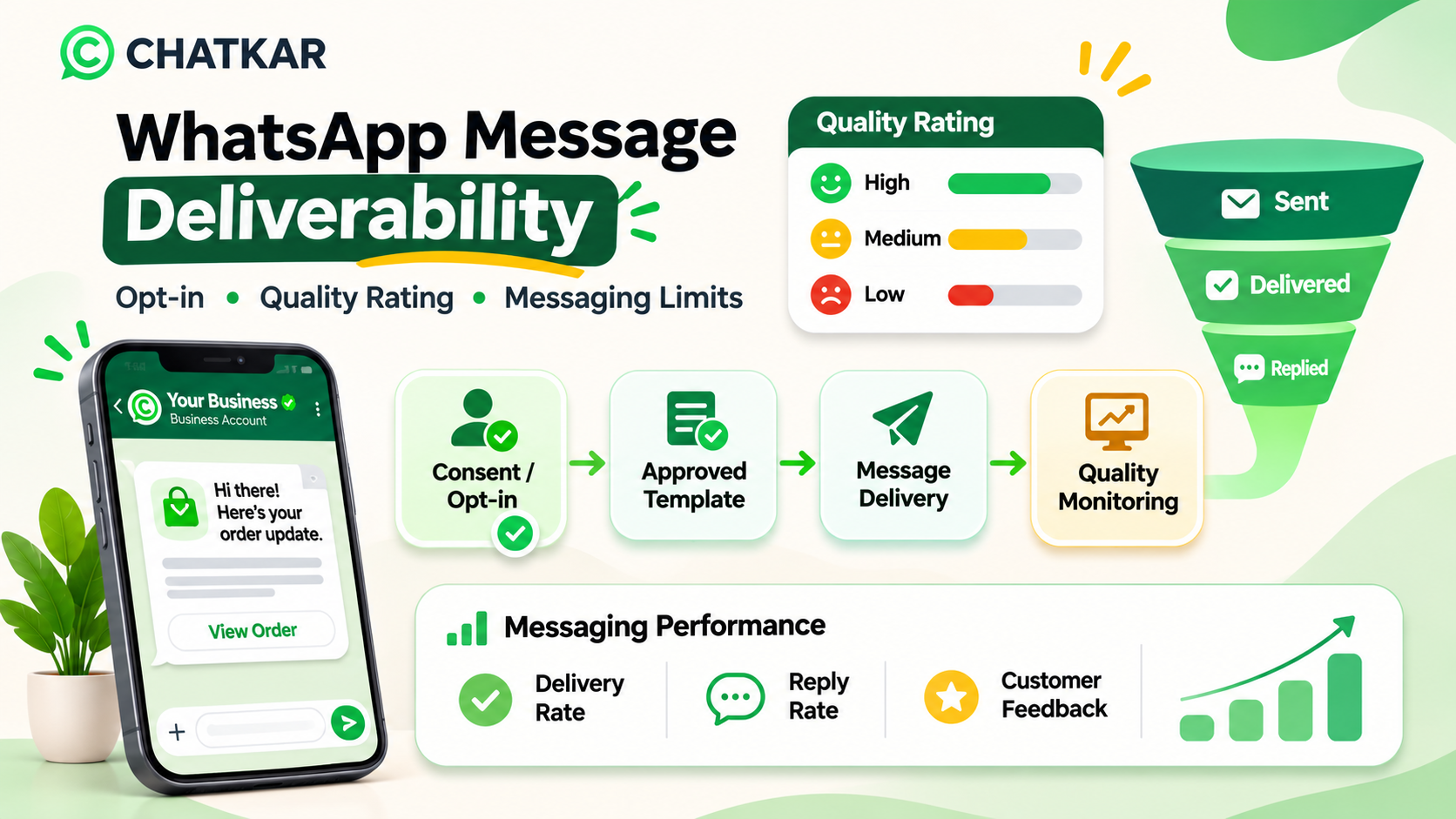
WhatsApp's Business Messaging Policy requires the business to have the person's phone number or username and opt-in permission before contacting them. The business should clearly explain what messages the person can expect and respect requests to block, discontinue or opt out of communication.
Use Approved Templates for Business-Initiated Messages
On the WhatsApp Business Platform, a business may initiate a conversation using an approved message template. Templates must be used for their designated purpose and may be reviewed, paused or rejected by Meta.
Understand the 24-Hour Customer Service Window
When a user messages the business, a 24-hour customer service window opens and resets with each new user message. During that window, the business may reply without a template. Outside the window, business-initiated messages must use approved templates.
Provide a Human Escalation Path
If automation is used during the customer service window, Meta's policy requires a clear and prompt path to human support. Buyers should be able to request help from a sales advisor, especially when discussing property terms, documentation or a site visit.
Keep Promotional and Transactional Content Clear
A project offer or new-launch promotion is not automatically a utility notification. Classify and submit templates according to their real purpose. Do not disguise promotional content as a transactional update.
Official policy reminder
Read the WhatsApp Business Messaging Policy before launching customer messaging. Meta can change its requirements and enforcement rules.
11. Interactive Real Estate Lead-Handling Checklist
Use this checklist when reviewing your enquiry process. Tick the items your team has implemented.
12. Interactive Knowledge Check
Test your understanding of a compliant property enquiry workflow. Select an answer to reveal the explanation.
Question 1: A buyer shares a phone number on a property portal. Can the broker automatically send WhatsApp promotions?
Not necessarily. A phone number shared on a property portal does not automatically prove WhatsApp opt-in. The business must obtain the required permission.
Correct. Record the permission and the message preferences so the business can contact the buyer appropriately.
Incorrect. Automation does not remove WhatsApp's consent requirements.
Question 2: A buyer selects Saturday at 11:30 AM as a preferred site-visit time. What should happen next?
Incorrect. A preferred time is only a request. Confirm after checking the calendar or authorised booking system.
Correct. The workflow should verify the slot to prevent double bookings or false confirmations.
Incorrect. Confirmation should reflect actual availability and team ownership.
Question 3: What should a real estate team do when a buyer asks to speak with a person?
Incorrect. A buyer should have a clear way to reach a human advisor.
Correct. Human escalation is especially important for detailed property discussions and appointment coordination.
Incorrect. A request for a human response is an opportunity to continue the conversation with the right person.
13. How ChatKar Can Support Real Estate Communication
ChatKar is an omnichannel WhatsApp CRM and customer communication platform. Its website describes a shared inbox, smart contact cards, notes and lifecycle tags, quick replies and approved templates, shared media for brochures and videos, broadcasts and configurable automation workflows.
These capabilities can support parts of a real estate communication process:
Shared inbox: help sales and support teams manage conversations in one workspace.
Contact cards and notes: keep buyer context and internal follow-up notes beside conversations.
Templates and quick replies: help teams respond consistently using approved templates where required.
Shared media: make relevant brochures, floor plans and project videos easier for agents to share.
Automation workflows: organise configured triggers, branches, follow-up steps and routing.
The exact real estate workflow depends on your ChatKar account, available integrations and implementation. Portal lead ingestion, live calendar availability, automatic site-visit booking and project-specific CRM synchronisation should be confirmed and configured before promising them as working features.
Manage WhatsApp Conversations with ChatKar
Explore shared inbox, customer communication, media sharing and workflow automation for your business.
14. Frequently Asked Questions About WhatsApp for Real Estate
1. How can real estate agents use WhatsApp?
Agents can use WhatsApp to respond to property enquiries, understand buyer preferences, share brochures and floor plans, coordinate site visits and maintain follow-up conversations, subject to WhatsApp policy and customer consent.
2. Can WhatsApp capture property leads from advertisements?
Click-to-WhatsApp ads can open a WhatsApp conversation with a business. The business can then use an appropriate welcome and qualification process to understand the buyer's requirement.
3. Can I send property brochures through WhatsApp?
Yes. Businesses can share supported documents and media through WhatsApp. Make sure the brochure is current, accurate and relevant to the buyer's enquiry.
4. Can WhatsApp qualify real estate buyers automatically?
A configured chatbot or interactive flow can ask structured questions such as preferred location, property type, configuration and budget range. The answers can be stored or routed when the platform and integrations support that workflow.
5. Can buyers book site visits on WhatsApp?
A WhatsApp conversation or Flow can collect a preferred date and time. To show live availability and confirm a booking automatically, connect it to a calendar or booking system that checks and reserves actual slots.
6. Can real estate brokers connect property portals to WhatsApp?
It may be possible through a supported portal integration, API, webhook or intermediary system. Availability differs by portal. Verify the technical access and terms before promising automatic lead syncing.
7. Can I send WhatsApp messages to every property portal lead?
No. A contact's phone number does not automatically establish WhatsApp opt-in. Obtain the required permission before contacting the person and respect opt-out requests.
8. Can WhatsApp send automatic follow-up messages to property buyers?
Configured workflows can support follow-ups. Business-initiated messages must follow template and opt-in rules, and the workflow should stop or change when the buyer replies, opts out or no longer needs the messages.
9. Can multiple sales agents manage one WhatsApp number?
A suitable shared inbox or team workspace can let multiple authorised agents manage conversations. The exact user limits, assignment features and setup depend on the platform and account configuration.
10. Is WhatsApp suitable for builders and channel partners?
It can be useful for builders, developers, brokers and channel partners who need to manage enquiries, share project information and coordinate follow-ups through a familiar messaging channel.
Final Thoughts
WhatsApp can help real estate businesses make property enquiries easier to manage, from the first question to brochure sharing, buyer qualification and site-visit coordination. The strongest process combines relevant information, a clear sales owner and a reliable next action.
Start with a simple workflow: capture the enquiry, record the source and consent, understand the buyer's requirement, share verified project information and assign an advisor. Add portal integrations, live calendar booking and advanced automation only after the required systems are connected and tested.
Use WhatsApp to make the customer conversation more organised—not to send repeated messages or make promises that the project team cannot verify.
Important: WhatsApp policies, product capabilities and integration availability can change. Verify current Meta rules and the exact integrations available in your ChatKar account before deploying a customer-facing workflow.
#WhatsApp for Real Estate#WhatsApp for Real Estate#Real Estate WhatsApp Marketing#Property Lead Generation#WhatsApp Lead Qualification#WhatsApp Site Visit Booking#WhatsApp CRM for Real Estate#Property Enquiry Automation#Real Estate Lead Management
Join thousands of businesses running customer journeys across eleven live channels. Self-host on your own infrastructure or launch on our managed cloud.