WhatsApp for Restaurants: Digital Menus, Orders, Table Reservations & Customer Engagement
Discover how restaurants, cafes and cloud kitchens can use WhatsApp to share digital menus, receive order requests, manage table reservations and improve customer communication. Explore ordering workflows, customer updates and restaurant automation.
WhatsApp for Restaurants: Digital Menus, Orders, Table Reservations & Customer Engagement
Customers often want to check a menu, ask about a dish, place an order or reserve a table before visiting a restaurant. If every enquiry is handled through separate calls and messages, staff can lose track of requests during busy service hours.
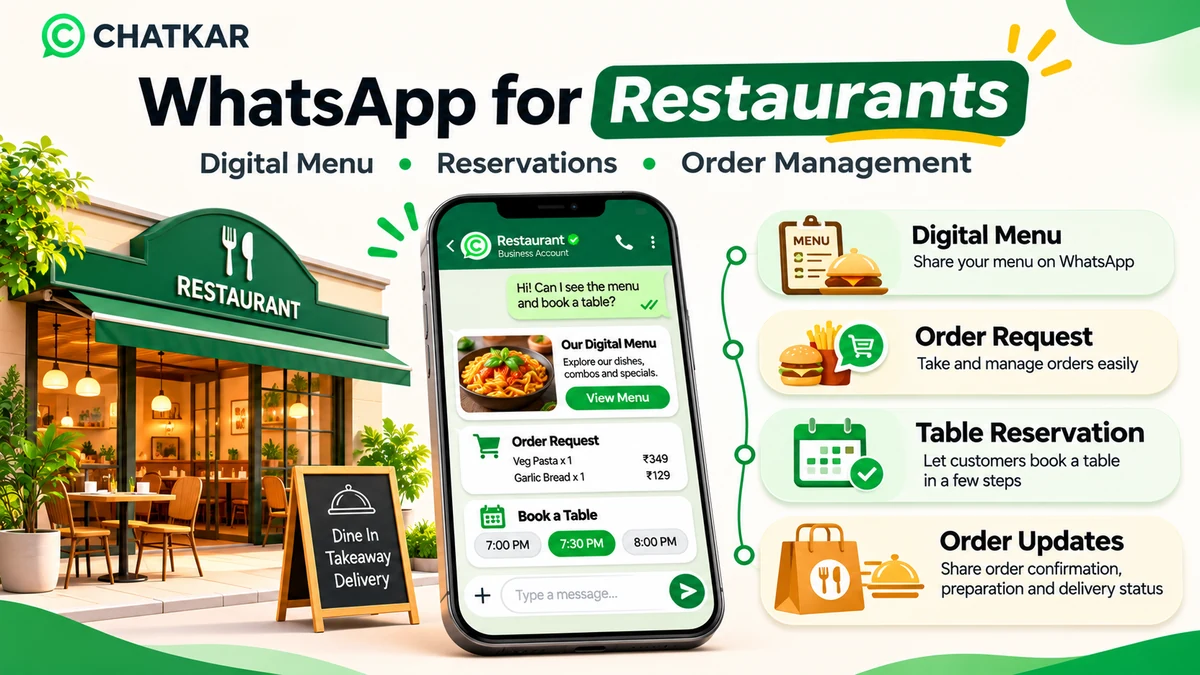
WhatsApp for restaurants can help cafes, restaurants, cloud kitchens, quick-service outlets and food businesses share menus, handle customer enquiries, receive order requests and coordinate table reservations. With the right catalog, ordering and automation setup, WhatsApp can become one of the channels customers use to interact with a restaurant.
Quick answer: How can restaurants use WhatsApp?
Restaurants can use WhatsApp to share a digital menu, answer food and availability questions, receive cart or order enquiries, collect reservation requests, send permitted order updates and follow up with customers. Actual order acceptance, payment confirmation, kitchen status and table availability must be verified by the restaurant's order, payment or reservation process.
1. Why WhatsApp Is Useful for Restaurants
Food customers often make decisions quickly. They may want to see the menu, understand portion sizes, check whether an item is available, ask about takeaway or delivery and confirm the location before ordering. A clear WhatsApp process makes it easier for customers to ask these questions and for staff to respond consistently.
Restaurants can use WhatsApp for several communication tasks:
Sharing a digital menu and selected food items.
Answering questions about ingredients, portions and availability.
Receiving item selections and order requests.
Coordinating takeaway collection and delivery enquiries.
Collecting table reservation requests.
Sending relevant order or reservation updates.
Sharing event information and offers with customers who have opted in.
Handling feedback and routing complaints to staff.
2. The Restaurant Customer Journey on WhatsApp
A useful customer journey should make each next step clear. The following coding-only animation illustrates one example. It is a workflow concept, not a claim that an order or table booking is confirmed automatically without a connected system and staff process.
From Menu Discovery to Customer Follow-up
Animated workflow built with HTML and CSS. No external image is loaded.
📖1. Digital Menu
Customer browses available dishes and details.
🛒2. Order Request
Customer sends selected items or an enquiry.
🍽️3. Restaurant Check
Staff verify availability, price and preparation time.
✅4. Confirmation
Restaurant confirms the order or reservation.
💬5. Follow-up
Share permitted updates and handle feedback.
3. Create and Share a Digital Menu on WhatsApp
A digital menu helps customers review food options before contacting the restaurant. Depending on the setup, a business can share a PDF menu, a website menu, a catalog or a branded storefront.
A useful digital menu should include:
Dish or product name.
Clear description and portion or serving information.
Current price and applicable variants.
Relevant food images where available.
Vegetarian or non-vegetarian identification, where appropriate.
Dietary or allergen information that has been verified by the restaurant.
Availability or time-based menu notes.
Clear instructions for placing an order.
Keep the Menu Updated
Restaurants should review their menu whenever an item, price, portion, ingredient or availability changes. A customer should not be asked to order an item that is no longer offered.
For items available only during certain hours, show the relevant timing. Breakfast, lunch, dinner and special menus may need separate sections or clear availability notes.
4. Receive Orders Through WhatsApp
A restaurant can use WhatsApp to receive order enquiries and item selections. WhatsApp catalog and cart features can allow customers to browse products, add items and send a cart as a message to the business where the relevant catalog functionality is available.
However, a sent cart or order request should not automatically be treated as a confirmed sale. WhatsApp's own customer guidance explains that an order is not final until the seller confirms it.
A practical restaurant order process is:
Customer browses the menu or catalog.
Customer selects dishes, quantities and available variants.
Customer sends the cart or order request.
Restaurant checks item availability, delivery area and price.
Restaurant confirms the total and estimated preparation or collection time.
Customer completes payment through the restaurant's supported method, if required.
Restaurant confirms the order and proceeds with preparation.
Important order confirmation rule
Receiving a cart message is not the same as accepting an order. Confirm availability, final amount, delivery or pickup details and payment status before telling the customer that the order is confirmed.
5. Dine-in, Takeaway and Delivery Workflows
Different restaurant service models need different information. A short enquiry flow can help the staff understand what the customer wants before the order is processed.
Choose the restaurant service type
Suggested dine-in workflow
Share the menu, collect party size and preferred time, check actual table availability and confirm the reservation. Capture any special seating request without promising an unverified table.
Suggested takeaway workflow
Collect the selected items, quantities and preferred collection time. Staff should confirm availability, final amount and the expected pickup time before marking the order as accepted.
Suggested delivery workflow
Collect the customer's delivery area and order request. Check the restaurant's service area, delivery charges, item availability and estimated time before confirming the order.
6. Manage Table Reservation Requests
WhatsApp can make it convenient for customers to request a table, especially when they want to ask about timing, group size or special arrangements before visiting.
A reservation request can collect:
Customer name.
Preferred date.
Preferred time or time range.
Number of guests.
Indoor or outdoor seating preference, if offered.
Any relevant special request.
After receiving the request, restaurant staff should check actual table availability and confirm the reservation. For automatic slot selection, capacity checks and double-booking prevention, connect the workflow to a reservation or table-management system.
Example: Table Reservation Reply
Reveal a sample WhatsApp response
Hello {{name}}, thank you for contacting {{restaurant_name}}.
We have received your request for {{guest_count}} guests on {{date}} at {{preferred_time}}.
Our team will check table availability and confirm the reservation with you shortly.
This is a request acknowledgement, not a confirmed reservation. Send a confirmation only after availability has been verified.
7. Send Useful Order Updates
After accepting an order, a restaurant may want to keep the customer informed. The updates should reflect what has actually happened in the restaurant's order-management process.
Possible updates include:
Order received.
Order accepted after availability and details are checked.
Preparation started.
Ready for collection.
Handed to a delivery partner.
Delivery completed, where the delivery system provides a reliable status.
Do not send a preparation or delivery update before the relevant staff member or system confirms that status. If order updates are automated, connect them to a reliable order-management or point-of-sale process.
8. Handle Menu Questions and Special Requests
Customers may ask about ingredients, spice levels, portion sizes, food preparation, dietary preferences or allergens. Staff should answer using accurate information from the restaurant's approved menu or kitchen team.
Do not guess whether a dish is free from a particular allergen or cross-contact risk. If the restaurant cannot verify the information, say so and route the question to someone who can check with the kitchen.
Useful support categories include:
Menu and price questions.
Item availability.
Vegetarian or non-vegetarian options.
Ingredient and allergen enquiries.
Delivery or pickup questions.
Order corrections and complaints.
Event, catering or group booking requests.
9. Organise Restaurant Enquiries and Team Responsibilities
When several staff members handle incoming WhatsApp enquiries, a shared inbox and clear ownership process can help reduce missed requests and repeated replies.
Request type
Suggested owner
Next action
Menu enquiry
Front desk or customer support
Share the current menu and answer basic questions.
Order request
Order desk or restaurant operator
Check availability, total and fulfilment details.
Table reservation
Host or reservation staff
Check seating capacity and confirm the booking.
Delivery issue
Customer support or delivery coordinator
Verify the order and contact the relevant fulfilment person.
Feedback or complaint
Manager or authorised support staff
Review the issue and record the resolution.
Catering or event enquiry
Events or sales team
Collect the event requirement and arrange a detailed discussion.
Every active request should have a clear owner and a next action. A customer should not need to repeat the entire order or reservation request when the conversation is transferred to another staff member.
10. Promote Offers and Build Repeat Visits
Restaurants can use WhatsApp to share relevant offers, new menu announcements, seasonal menus, events and special experiences with customers who have opted in to receive that type of communication.
Good campaign practices include:
Send offers to a relevant customer segment.
Clearly show the offer validity and applicable conditions.
Do not send promotions to contacts who opted out.
Avoid repeated messages that create unnecessary inbox pressure.
Keep promotional messages separate from transactional order updates.
Provide a simple way for customers to manage their preferences.
Example: New Menu Announcement
Reveal an example promotional message
Hello {{name}}, we have introduced a new seasonal menu at {{restaurant_name}}.
Explore the new dishes and let us know if you would like to view the menu.
Use an approved marketing template when required, and send only to customers who have opted in to receive marketing messages on WhatsApp.
11. WhatsApp Rules Restaurants Should Follow
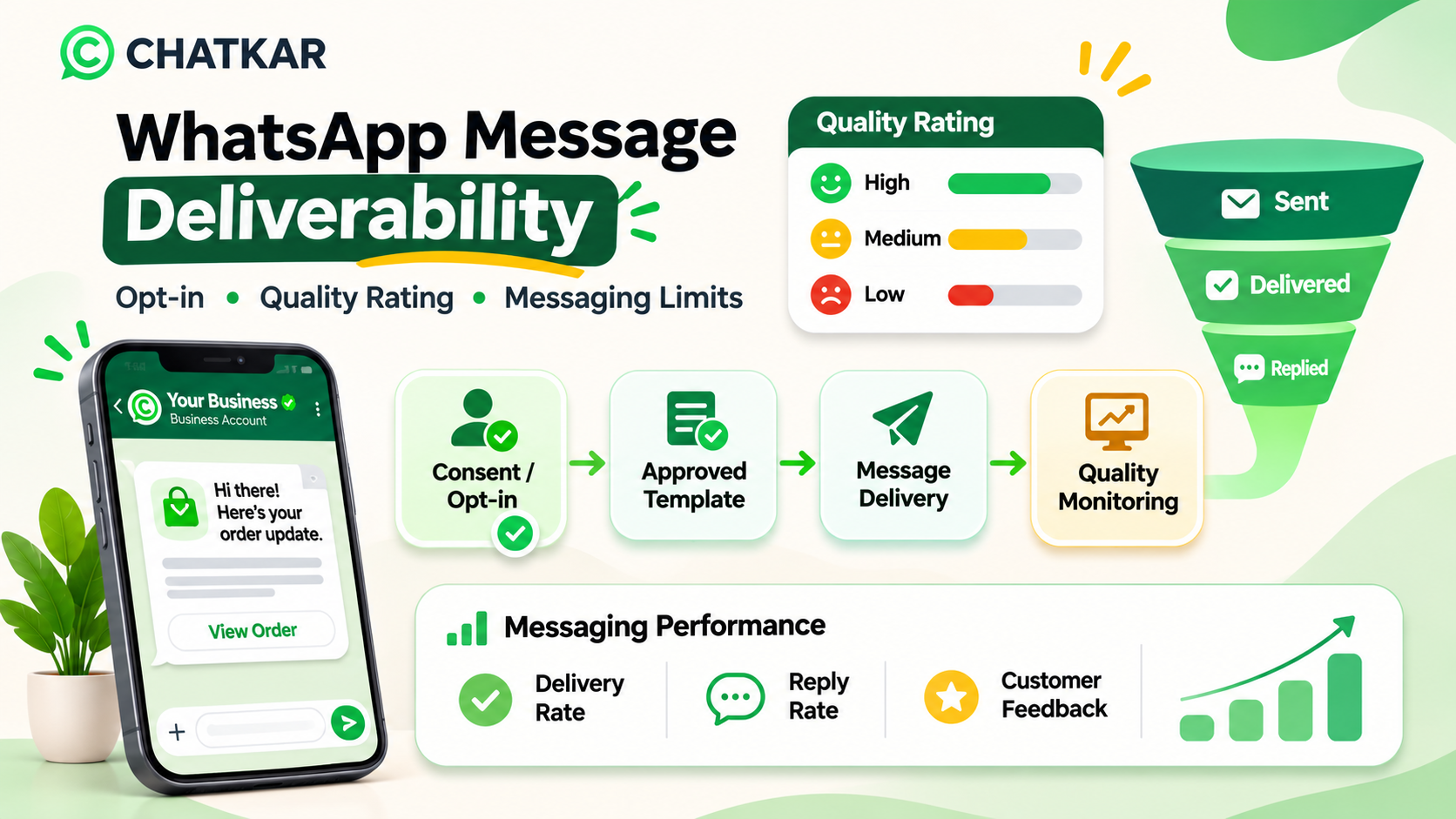
Restaurants using the WhatsApp Business Platform need a process for consent, templates, customer service replies and opt-outs.
Obtain the Required Opt-in
WhatsApp's Business Messaging Policy requires businesses to have the customer's number or username and opt-in permission before contacting them. A customer giving a phone number for an order should not automatically be treated as having agreed to unrelated promotional campaigns.
Use Approved Templates for Business-Initiated Messages
Outside the 24-hour customer service window after a user message, business-initiated conversations must use approved templates. Templates must match their approved purpose.
Understand the 24-Hour Customer Service Window
When a customer messages the business, a 24-hour customer service window opens and resets with each new user message. Within this window, businesses may respond without a template. Outside it, approved templates are required for business-initiated messages.
Keep Promotional Content Separate
A discount or special offer should not be disguised as an order-status notification. Use the correct message purpose and category, and do not add unrelated promotions to a transactional update in an attempt to change its classification.
Provide Human Support
If automation is used during the customer service window, provide a prompt and clear path to a human agent. Customers should be able to reach restaurant staff when an order is incorrect, a payment needs review or a reservation needs attention.
Use this checklist to review your digital menu, ordering and reservation workflow.
13. Interactive Knowledge Check
Test your understanding of restaurant ordering and reservation workflows.
Question 1: A customer sends a cart through WhatsApp. Is the order automatically confirmed?
Incorrect. The restaurant must confirm the order after checking availability and the relevant details.
Correct. A cart or order request is not final until the seller confirms it.
Incorrect. Viewing a menu does not place or confirm an order.
Question 2: A customer asks for a table at 8 PM. What should the restaurant do?
Incorrect. A restaurant should verify seating availability before confirming a reservation.
Correct. The confirmation should reflect actual availability and the restaurant's reservation process.
Incorrect. The restaurant needs the relevant booking details and a verified slot.
Question 3: Can a customer phone number collected for an order be used for every future promotional campaign?
Incorrect. A phone number collected for order fulfilment does not automatically grant permission for unrelated marketing.
Correct. Businesses should obtain and respect the relevant WhatsApp marketing permission.
Incorrect. Frequency does not replace the opt-in requirement.
14. How ChatKar Can Support Restaurant Communication
ChatKar's current website lists WhatsApp capabilities including catalog and storefront, orders and payment links, appointments, shared team inbox, Flow Builder, broadcasts, WhatsApp Forms and integrations. These capabilities can provide building blocks for restaurant communication and customer workflows, depending on the restaurant's account configuration and implementation.
Possible applications include:
Catalog and storefront: organise products or menu items for customer browsing where the configured catalog supports the restaurant's use case.
Orders and payment links: support order enquiries and payment workflows where configured and supported by the payment process.
Appointments: support date and time selection through a connected calendar or appointment configuration. Table capacity and reservation rules need the correct setup.
Team inbox: let authorised staff manage customer conversations in a shared workspace.
Flow Builder: organise configured enquiry, routing and follow-up workflows.
Broadcasts: send eligible promotional messages to opted-in customers using the required templates.
Confirm the exact menu, POS, inventory, payment, delivery and reservation integrations before promising automatic synchronisation. A catalog does not automatically know kitchen stock, a payment link is not proof of settlement, and a time request is not a confirmed reservation unless the relevant source system verifies it.
Manage WhatsApp Customer Conversations with ChatKar
Explore catalog, storefront, team inbox, appointments and automation features for your business communication workflows.
15. Frequently Asked Questions About WhatsApp for Restaurants
1. Can restaurants share a digital menu on WhatsApp?
Yes. Restaurants can share menu links, supported documents or a configured catalog/storefront. The menu should show current prices and accurate availability information.
2. Can customers place food orders through WhatsApp?
Customers can send product selections or cart enquiries using supported catalog and cart functionality. The restaurant should verify the order and confirm acceptance before treating it as final.
3. Can WhatsApp be used for table reservations?
Yes. Customers can request a date, time and party size through a conversation or configured form. Automatic reservation confirmation requires a calendar or reservation system that checks actual table availability.
4. Can a restaurant connect WhatsApp to its POS system?
It may be possible through an available integration, API, webhook or middleware. The exact POS connection, data mapping and automation must be verified and implemented.
5. Can WhatsApp send order status updates automatically?
Yes, when the connected order-management process provides reliable status events and the messaging workflow is configured. Updates should reflect the actual order state.
6. Can a restaurant use WhatsApp for takeaway and delivery?
WhatsApp can help collect orders and delivery or pickup preferences. The restaurant must verify service areas, item availability, pricing and estimated fulfilment time before confirming.
7. Can restaurants send offers to previous customers?
They can send eligible promotional messages to customers who have opted in to receive marketing on WhatsApp. Businesses must respect opt-outs and use approved templates when required.
8. Can WhatsApp handle food allergies and dietary requests?
Customers can ask about ingredients or dietary requirements, but answers must be verified by the restaurant. Do not make unverified allergen or cross-contact safety claims.
9. Can multiple restaurant staff manage one WhatsApp number?
A suitable shared inbox can allow multiple authorised team members to manage conversations. The available user, assignment and permission features depend on the provider and account setup.
10. Can ChatKar help restaurants manage WhatsApp orders and enquiries?
ChatKar lists catalog/storefront, orders and payment links, appointments, team inbox and Flow Builder capabilities. The exact restaurant workflow and any POS, booking or delivery integration should be confirmed before implementation.
Final Thoughts
WhatsApp can make restaurant communication more convenient by bringing menu enquiries, order requests, reservation coordination and customer support into a familiar channel. The most important part is not simply receiving messages. It is making sure that every request reaches the right person and receives an accurate response.
Start with a current digital menu, a clear ordering process and a reliable way to confirm table requests. Then add order updates, team assignment and customer follow-up as your systems and staff are ready.
Use WhatsApp to make ordering and restaurant communication easier, while keeping menu information accurate, customer consent clear and order or reservation confirmations tied to verified availability.
Important: WhatsApp policies, catalog availability and integration capabilities can change. Verify current Meta requirements and the exact menu, payment, POS, calendar or reservation integrations available in your ChatKar account before deploying a customer-facing workflow.
#WhatsApp for Restaurants#WhatsApp Food Ordering#WhatsApp Restaurant Marketing#Digital Menu WhatsApp#WhatsApp Table Reservations#Restaurant Order Management#WhatsApp CRM#Restaurant Automation
Join thousands of businesses running customer journeys across eleven live channels. Self-host on your own infrastructure or launch on our managed cloud.