WhatsApp for Event Management: Registrations, RSVPs, Invitations & Attendee Updates
Discover how event organisers can use WhatsApp to manage attendee registrations, collect RSVPs, send confirmations and reminders, share event updates and handle attendee enquiries. Explore practical workflows for conferences, exhibitions, workshops and webinars.
WhatsApp for Event Management: Registrations, RSVPs, Invitations & Attendee Updates
Event organisers handle a steady stream of questions before, during and after an event. Attendees want to know how to register, what the agenda looks like, where the venue is, whether their participation is confirmed and what to do if the schedule changes. For conferences and exhibitions, the organising team may also need to manage different sessions, guest categories, speakers, exhibitors and sponsors.
WhatsApp for event management can help organisers manage these conversations in a familiar channel. With a structured registration flow and a clear communication process, an event team can collect attendee details, record RSVP responses, share confirmations and reminders, answer common questions and send relevant event-day updates.
Quick answer: How can event organisers use WhatsApp?
Event organisers can use WhatsApp to respond to event enquiries, collect registration details, record attendance preferences, send event confirmations and reminders, share venue or agenda changes and manage attendee support. Ticket payment, unique ticket generation, seat allocation and QR-code check-in normally require an event-ticketing or registration system, or a separately implemented integration.
1. Why WhatsApp Is Useful for Event Management
Event communication is time-sensitive. A registration acknowledgement should reach the attendee promptly. A venue change must reach the people affected by it. A workshop participant may need a joining link, while a conference attendee may need directions, session details or check-in instructions.
When these conversations are handled through disconnected inboxes, spreadsheets and individual phones, important messages can be missed. A shared communication workflow can help organisers keep the enquiry, attendee details and next action together.
Common uses include:
Answering event enquiries and sharing programme information.
Collecting registration details and session preferences.
Recording RSVP responses and guest counts.
Sending registration confirmations and practical instructions.
Sharing agenda, speaker, venue and access updates.
Reminding registered attendees about event dates and timings.
Handling attendee questions from a shared team inbox.
Collecting post-event feedback and managing follow-up communication.
2. The Event Attendee Journey on WhatsApp
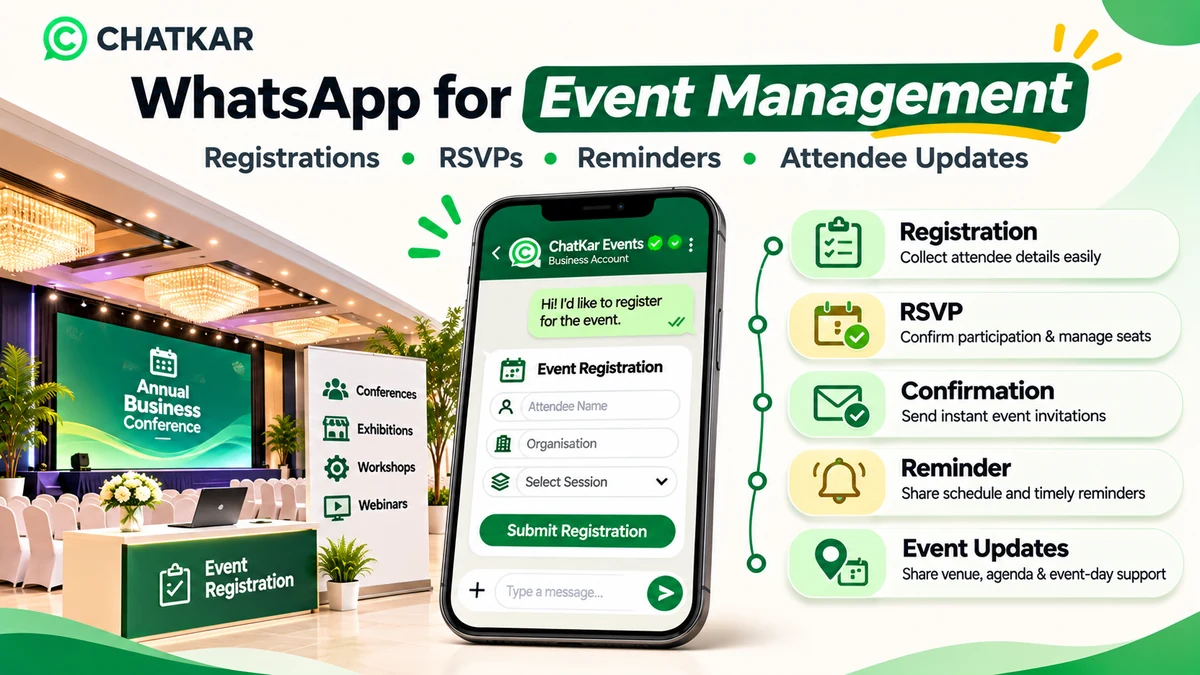
A useful event workflow takes an attendee from an initial enquiry to registration, confirmation, attendance and follow-up. The animation below is a coding-only illustration of the journey. It does not imply that ticket payment, seat inventory or QR check-in is automatically provided by WhatsApp.
From Registration to Event-Day Updates
Animated workflow built with HTML and CSS. No external image is loaded.
📝1. Registration
Collect attendee details and event preferences.
✅2. RSVP
Record whether the attendee plans to join.
✉️3. Confirmation
Send the registration outcome and next steps.
🔔4. Reminder
Share time, venue and preparation details.
📍5. Event Updates
Handle venue, agenda and attendee questions.
3. Capture Event Registrations Through WhatsApp
A short registration form can collect the details the organiser needs to manage an attendee. The fields should reflect the type of event. A small workshop may need only a name and contact preference, while a conference may need an organisation name and session selection.
Potential registration fields include:
Attendee name: the name to use for event communication.
Organisation: company, institution or group, where relevant.
Event or session: the event, track or workshop the person wants to attend.
Number of attendees: only where group registrations are allowed.
Contact details: the details required for confirmation and event updates.
Accessibility or dietary requests: only if the event team needs this information and can handle it appropriately.
Communication preferences: whether the attendee agrees to receive event updates and any separate future marketing messages.
Keep registration forms short. Do not collect sensitive information without a clear reason, proper notice and suitable safeguards. If the event requires legal waivers, identity checks, medical information or detailed payment data, use the organiser's secure, authorised registration process.
4. Manage RSVPs and Guest Responses
An RSVP process helps organisers estimate attendance and plan venue capacity, seating, refreshments, staff and materials. WhatsApp can be used to ask a registered attendee to confirm whether they plan to attend, subject to the design of the registration workflow.
Useful RSVP options may include:
Yes, I will attend.
No, I cannot attend.
I am not sure yet.
I would like to change my selected session.
I need help with my registration.
For group events, capture the number of additional guests only if the event permits plus-ones. If capacity is limited, the registration system should check availability and maintain the authoritative attendee count. A WhatsApp reply alone should not be treated as proof that a paid ticket or reserved seat exists.
5. Interactive Event-Type Selector
Select the type of event you organise to see a suggested communication workflow. This is a planning example, not a live registration or ticketing system.
What type of event are you planning?
Suggested workflow: Conference registration and session updates
Collect attendee and organisation details, record session preferences, confirm registration and share the agenda, venue instructions and any schedule changes. Use an event system to manage capacity, tickets and check-in.
Suggested workflow: Visitor registration and event-day assistance
Capture visitor details and areas of interest, share opening hours and venue information, and route exhibitor or sponsorship enquiries to the event team. If access badges are required, generate and validate them through the event registration system.
Suggested workflow: Webinar registration and joining support
Collect the attendee's name and session choice, confirm registration, share the correct joining instructions and send a reminder. Connect to the webinar platform if attendance status or unique joining links must be synchronised automatically.
6. Send Registration Confirmations and Event Details
After a registration is accepted, the attendee should receive a clear confirmation. It should explain what has been recorded and what the person needs to do next.
A useful confirmation may contain:
Event name and organiser.
Registration reference, if one has been issued.
Date, time and time zone.
Venue address or online joining instructions.
Selected session or ticket category, where applicable.
Check-in instructions and the official ticket link, if issued by the event system.
Contact details for event assistance.
Example: Registration Confirmation
Reveal a sample WhatsApp confirmation
Hello {{name}}, your registration request for {{event_name}} has been received.
Your registration reference is {{registration_reference}}.
Please review the event details and contact the organising team if any information needs to be corrected.
Use a confirmation only after the registration system has accepted the attendee. If a paid ticket is required, do not call the registration complete until the payment and ticket status have been verified.
7. Send Event Reminders at Useful Times
Reminders can help attendees prepare and reduce avoidable questions on the day. The timing should fit the event type and the information the attendee needs.
Examples include:
Before the event: date, venue, schedule and what to bring.
The day before: arrival time, entry instructions and parking information.
On the event day: check-in desk, session room or joining link.
Before a selected session: room or track details, if relevant.
After the event: feedback request, presentation link or approved event materials.
Do not send repeated reminders simply because a timer is available. Send information that helps the attendee take the next step. Keep marketing promotions separate from reminders about a registration the person has already made.
8. Communicate Schedule, Venue and Speaker Changes
Event details can change. A session may move to another room, a speaker's timing may shift or a venue entrance may be temporarily closed. Attendees need a clear update and, where necessary, an explanation of what they should do next.
A good update should:
Identify the event and affected session.
State what changed.
Provide the correct new time, room, venue or joining link.
Explain whether the attendee needs to take any action.
Provide a support contact for questions.
If only one track or attendee segment is affected, send the update to the relevant registered group rather than everyone. This requires accurate session tags or attendee data in the registration system.
9. Manage Attendee Questions Through a Shared Inbox
Event enquiries can involve registration, tickets, invoices, speakers, venue access, parking, accessibility, exhibitors and technical support. A shared inbox can help an event team allocate these conversations instead of leaving them on one organiser's personal phone.
Enquiry type
Suggested owner
Next action
Registration question
Registration desk
Check attendee details and registration status.
Ticket or payment query
Ticketing or accounts team
Verify payment and ticket status in the authorised system.
Agenda or speaker query
Programme team
Share the current approved agenda.
Venue and travel question
Venue or attendee support
Share verified directions and access information.
Exhibitor or sponsor enquiry
Partnerships team
Route to the appropriate event representative.
Technical or webinar issue
Technical support
Provide troubleshooting steps or a human handover.
Complaint or accessibility request
Event operations lead
Handle privately and follow the event's support process.
Define responsibility before registration opens. During a live event, the team should know who can approve an update and who owns each type of attendee issue.
10. Event Ticketing, Payments and QR Check-in: What WhatsApp Does and Does Not Replace
WhatsApp can carry registration conversations and messages, but that does not automatically make it a complete ticketing or venue-management system.
Requirement
WhatsApp's role
What may need a separate system
Registration enquiry
Answer questions and guide the attendee through a form.
Registration database and capacity rules, depending on the event.
RSVP
Collect and record an attendee's response through a configured workflow.
Authoritative guest list and seat allocation.
Paid ticket
Share a secure checkout link or payment instructions where permitted.
Payment gateway, ticket issuance and refund management.
QR entry pass
Deliver a pass or link if generated by the connected ticketing system.
Unique QR generation, validation and check-in scanning.
Attendance reporting
Support communication with registered attendees.
Entry scanning or attendance system to record actual attendance.
For a paid conference, exhibition or workshop, use a ticketing or event-registration system as the source of truth for payment, ticket status, seat count and entry validation. Connect it to WhatsApp only after confirming that the required API, webhook or integration exists and has been tested.
11. WhatsApp Communication Rules for Event Organisers
Event organisers should distinguish between a message about an attendee's existing registration and a promotion inviting people to a new event. WhatsApp's Business Messaging Policy requires businesses to obtain the relevant opt-in and use approved templates when initiating conversations.
Obtain Clear Opt-in
Explain which event updates the attendee will receive and identify the organising business. Where future promotional messages are planned, make that purpose clear and separate it from essential event information. Respect opt-out requests.
Use Approved Templates for Business-Initiated Messages
On the WhatsApp Business Platform, business-initiated conversations require approved message templates. A reply within the 24-hour customer service window after a user message can be sent without a template. Outside that window, approved templates are required.
Keep Registration Updates Separate from Promotions
A non-promotional confirmation or reminder tied to an existing registration may fit the utility category, subject to Meta's review. An invitation to a future event or an offer to buy another ticket is marketing. Do not add an unrelated promotion to a utility template to try to change its category.
Protect Attendee Information
Collect only the data needed to manage the event. Do not send attendee lists, private registration details or sensitive information to unrelated participants. Restrict access to authorised event staff and use secure systems for payment details, identity checks or any sensitive records.
Provide Human Support
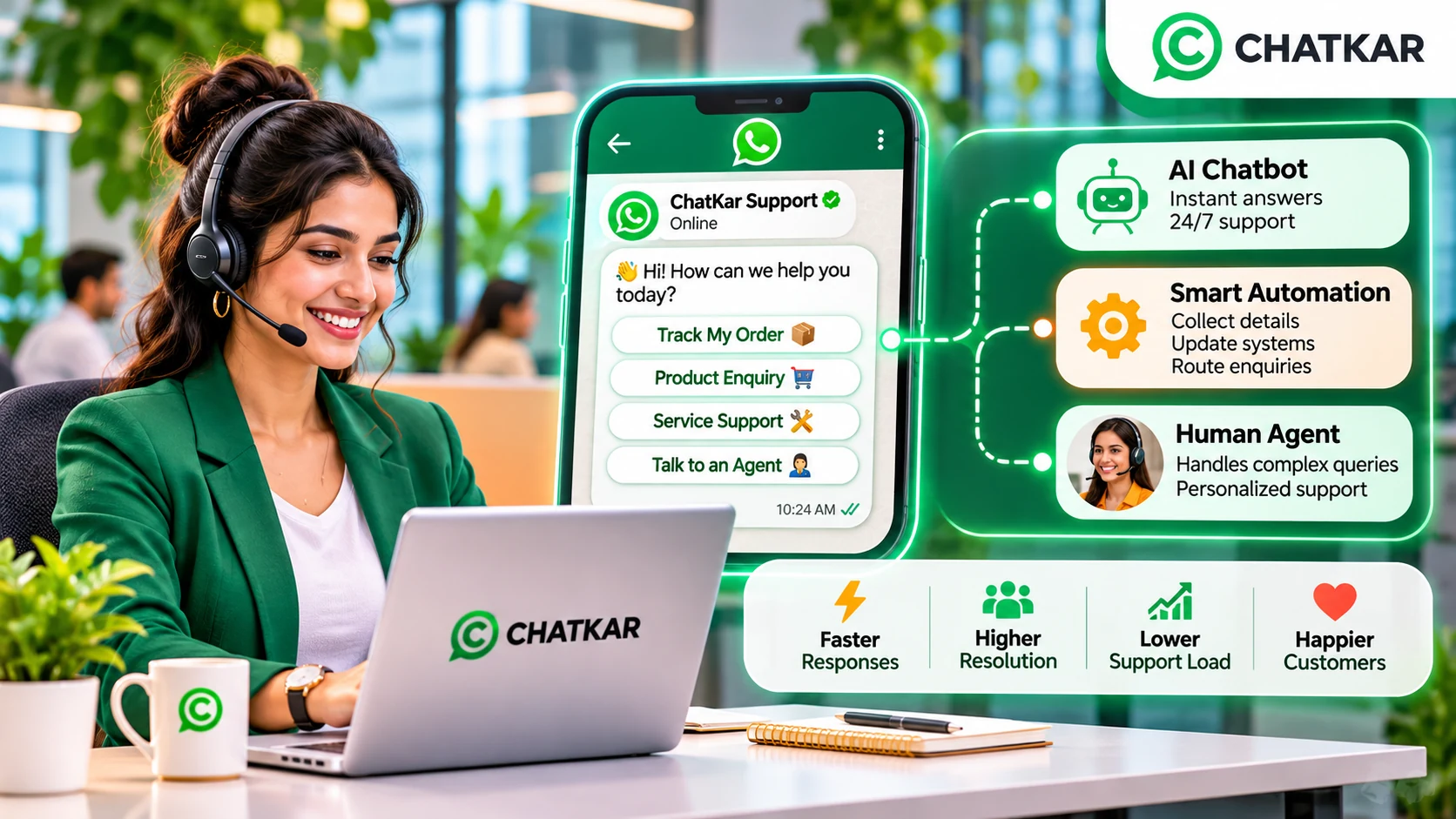
If automation is used during the customer service window, Meta's policy requires a clear and prompt route to human support. Attendees should be able to contact an organiser for issues that cannot be resolved by an automated reply.
Use this checklist before opening registrations or sending the first attendee campaign.
13. Interactive Knowledge Check
Test your understanding of a responsible event communication workflow.
Question 1: An attendee submits a free-event registration form. What should happen before a confirmation is sent?
Incorrect. A form opening does not prove that it was submitted or accepted. Check the registration system's response.
Correct. A confirmation should reflect an accepted registration, not an incomplete form.
Incorrect. The event's capacity and ticket rules must be respected.
Question 2: Only one conference session has changed rooms. Who should receive the update?
Incorrect. Unrelated contacts should not receive unnecessary event updates.
Correct. Accurate session segmentation helps the team reach only the people affected.
Incorrect. Registered attendees who are affected need the updated room information.
Question 3: Does a WhatsApp registration form automatically provide ticket payment and QR check-in?
Incorrect. Payment, ticket generation and check-in require the relevant ticketing or event-management system.
Correct. WhatsApp can carry the communication, but the event system should remain the source of truth for payment, ticket and entry status.
Incorrect. An RSVP response does not create a payment record or validate a ticket.
14. How ChatKar Can Support Event Communication
ChatKar's current feature page lists a unified team inbox, assignment and routing, Visual Flow Builder, WhatsApp Forms, broadcasts, templates, contact CRM, appointments, REST API and webhooks. These features can provide building blocks for event enquiry and attendee communication, depending on the organiser's account configuration and connected systems.
Possible applications include:
WhatsApp Forms: collect structured attendee details and session preferences through a configured form.
Flow Builder: guide people through registration enquiries, FAQs and follow-up steps.
Shared team inbox: route attendee questions to registration, venue, programme or support staff.
Contact CRM and tags: organise contacts by event, session or attendee category where the data is available.
Broadcasts and templates: communicate relevant event updates to eligible, opted-in attendees using approved message templates where required.
Appointments: coordinate organiser callbacks or consultation slots when the calendar workflow is configured.
REST API and webhooks: connect to an external registration or ticketing platform when a suitable integration is implemented.
Do not assume that ChatKar automatically sells tickets, assigns seats, processes payments, generates unique QR passes or scans attendees at the venue. Those functions require a dedicated event platform or separately implemented integration. Confirm the connection, data mapping and check-in process before promising them to an event client.
Organise Event Enquiries with ChatKar
Explore WhatsApp Forms, Flow Builder, shared inbox, contact management and messaging capabilities for your event communication workflow.
15. Frequently Asked Questions About WhatsApp for Event Management
1. How can event organisers use WhatsApp?
Event organisers can use WhatsApp to answer enquiries, collect registration details, record RSVP responses, send confirmations and reminders, share event-day updates and handle attendee questions.
2. Can attendees register for an event inside WhatsApp?
A configured WhatsApp Flow or form can collect attendee information inside the chat. Capacity validation, payment and ticket issuance depend on the connected registration or ticketing system.
3. Can WhatsApp collect RSVPs?
Yes. An organiser can ask an attendee to confirm whether they plan to attend and record the response through a configured form or workflow. The event's attendee database should remain the authoritative record.
4. Can WhatsApp send event reminders automatically?
Reminders can be scheduled or triggered through a configured workflow. Business-initiated messages outside the 24-hour customer service window require approved templates, and the recipient must meet the relevant messaging requirements.
5. Can WhatsApp send venue or schedule changes?
Yes. Event organisers can send relevant updates to affected attendees. Accurate attendee segmentation is important when only one session, room or group is affected.
6. Can WhatsApp generate event tickets and QR codes?
A WhatsApp conversation can deliver a ticket or QR code generated by a connected event system. Registration, unique code generation, payment validation and venue check-in need a dedicated ticketing or event-management system or a configured integration.
7. Can organisers send promotions for future events?
Promotional invitations are marketing communication. Send them only to people who have opted in to receive that type of WhatsApp message, use approved templates when required and respect opt-outs.
8. Can multiple organisers answer attendee questions from one number?
A suitable shared inbox can let authorised team members manage conversations, assign questions and retain context. User access and routing depend on the platform setup.
9. Can ChatKar connect to an external event registration platform?
ChatKar lists REST API and webhook capabilities. A specific registration or ticketing connection must be checked and implemented, including data mapping, error handling and status synchronisation.
10. Is WhatsApp suitable for conferences, exhibitions and webinars?
It can support communication for these event types, including registration enquiries, session preferences, confirmations, reminders and event-day assistance. The organiser should use the appropriate event system for ticketing, capacity, payments and attendance records.
Final Thoughts
WhatsApp can help event organisers manage attendee communication from the first enquiry to registration, reminders and event-day support. The best workflow gives attendees clear information and gives the organising team a reliable way to handle questions and updates.
Start with a simple registration form, a clear RSVP process and a shared inbox for attendee questions. Add payment, ticketing, QR check-in and attendance automation only after the event platform is connected and the complete process has been tested.
Use WhatsApp to make event communication easier, while keeping registration records accurate, attendee information protected and confirmations tied to the event's actual booking status.
Important: WhatsApp policies, template rules, event-platform capabilities and integrations can change. Verify current Meta requirements and the exact registration, payment, ticketing and check-in integrations available to your event business before deploying a customer-facing workflow.
Join thousands of businesses running customer journeys across eleven live channels. Self-host on your own infrastructure or launch on our managed cloud.